Background Removal
Background Removal Service
Subjects extracted cleanly — hair strand by strand, fur, glass and mesh kept see-through, edges refined at full zoom. Transparent, on white, or wherever you need them. From 25 cents an image.
No minimum orderFree trialPay per imageEdited by hand, not by AI
Why Pay For It
Free Tools Are Fine Until There Is Hair
One-click background removal is genuinely good now, on one kind of subject: an opaque object with a hard edge, shot against a clean backdrop. Feed it a box, a bottle or a shoe and you will not need us.
Then someone sends a model with loose hair, a long-haired cat, a glass tumbler, a lace sleeve or a veil. The automatic result comes back with the hair cut into a helmet-shaped outline, the glass turned opaque, and a grey fringe of the old studio wall running along the shoulder. On a white page that fringe is nearly invisible. Dropped onto a dark banner it is the only thing anyone sees.
Masking those subjects properly means keeping partial transparency — each strand of hair is not fully subject or fully background but somewhere between, and so is every millimetre of a veil. That is done by hand, checked against a dark background, and it is what the 25 cents is for. At that price it also goes on the easy images, so a whole catalogue comes back to one standard rather than two.
Need a reusable vector path saved in the file instead? That is clipping path work, from $0.50. Costing a whole catalogue? The product photo editing cost guide sets every service against sourced market rates.
Real Work
Before and After
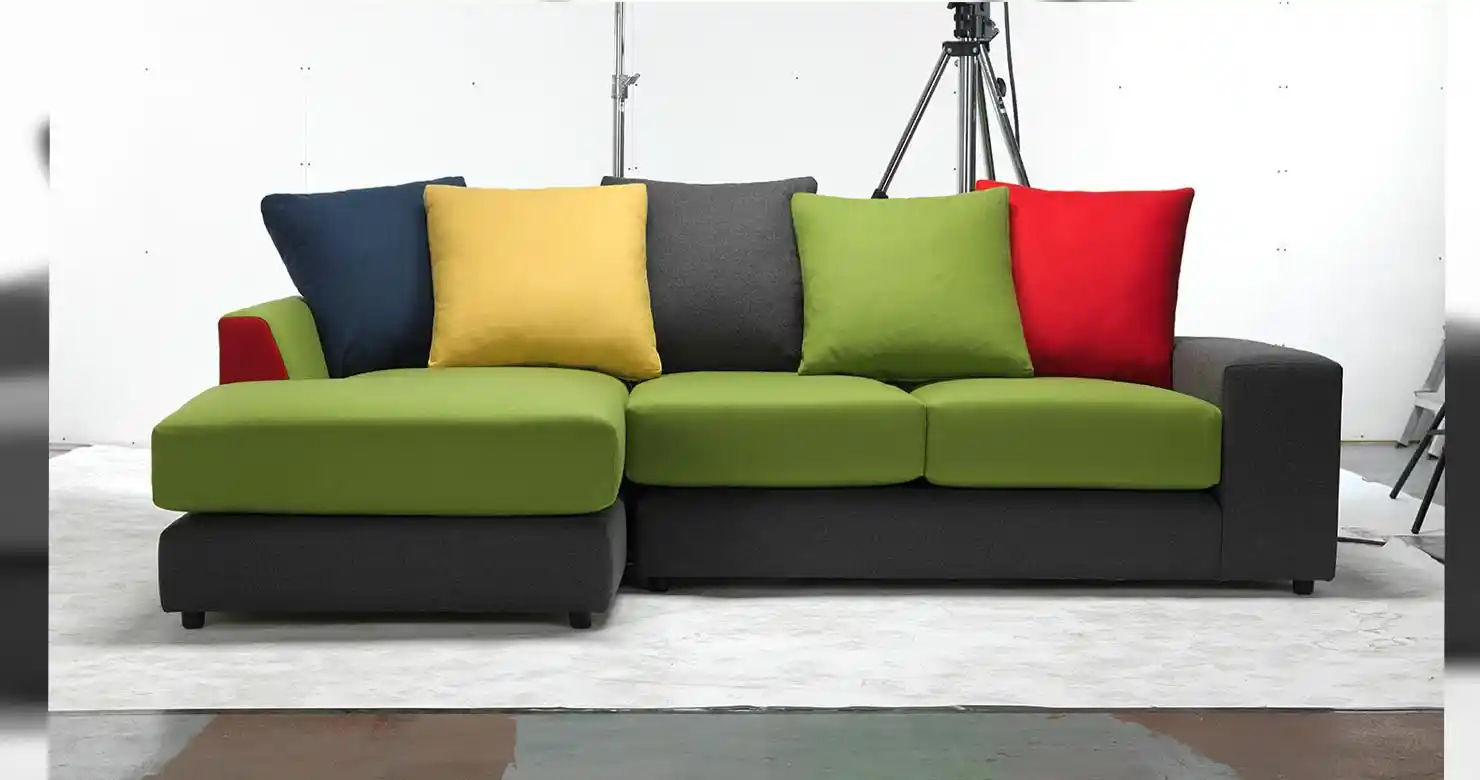
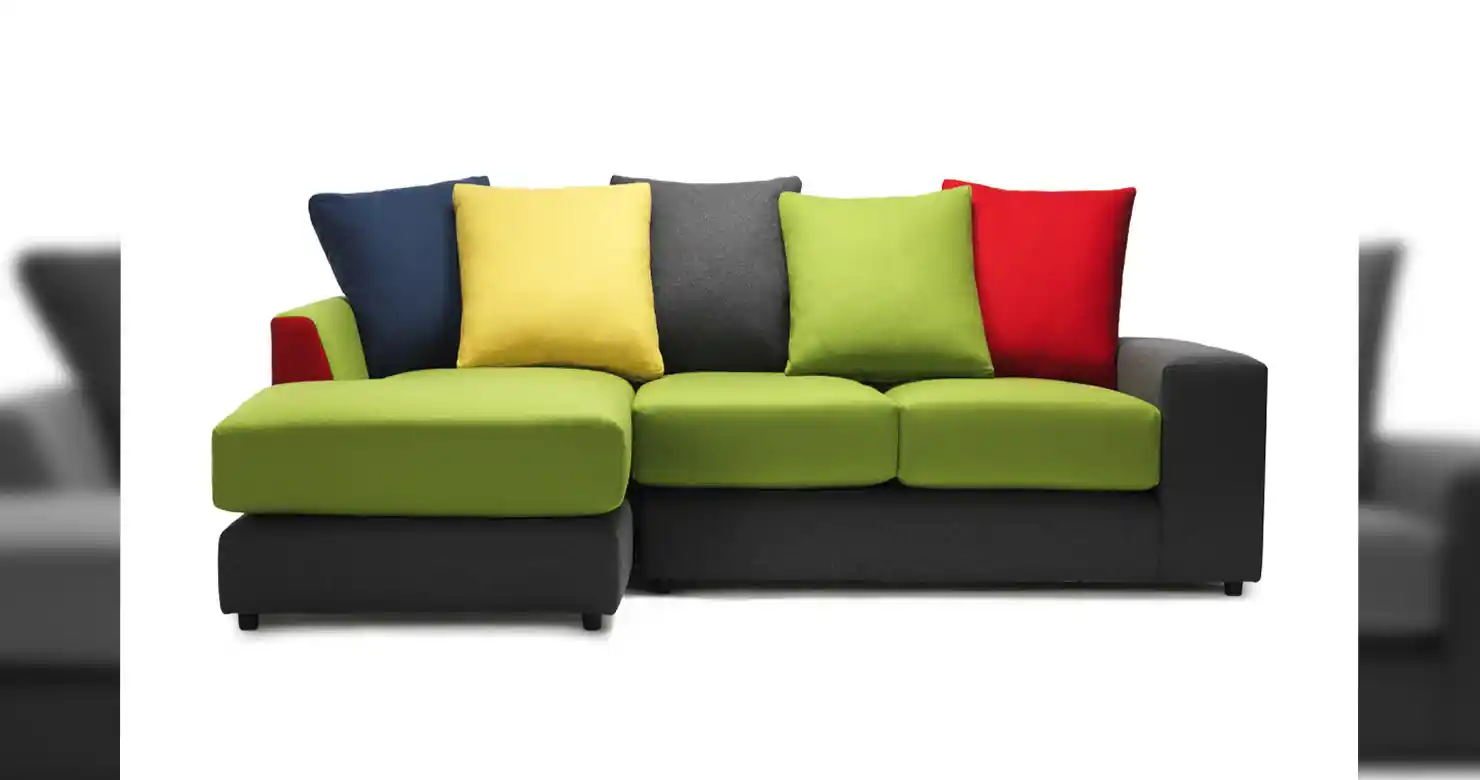
Drag the handle to compare. Want this on your own files? Send us a set and see it before you pay anything.
What Is Included
Cut Out, Not Cut Off
Clean Background Removal
The subject isolated from whatever it was shot against — seamless, textured, cluttered or busy. No halo of old background left surviving along the edge.
Hair and Fur Preservation
Individual strands kept rather than shaved into a smooth outline. This is the part automatic tools cannot do, and the reason masking exists as a separate craft.
Edge Refinement
The transition between subject and transparency checked at full zoom, so soft edges stay soft, hard edges stay hard, and neither picks up a fringe.
Semi-Transparent Subjects
Glass, mesh, tulle, lace, smoke and veils masked so what should be see-through stays see-through against the new background rather than turning solid.
Multiple Output Formats
Transparent PNG, JPEG on white or any flat colour, or layered PSD with the mask intact so the cut-out stays editable downstream.
Batch Consistency
A whole range treated to the same edge standard and the same background, so a grid of thumbnails reads as one catalogue rather than several suppliers.
When To Use It
Worth It On These
How It Runs
Shot to Isolated in 24 Hours
Send the images
JPEG, TIFF, PSD or RAW. Busy backgrounds are fine — a cluttered backdrop costs nothing extra, it just takes a mask rather than a path.
Tell us the destination
Transparent, on white, or dropped onto a specific colour or background. Marketplace listings usually want pure white, so say which marketplace.
We mask and refine
The subject masked, hair and transparency handled strand by strand where needed, and the edge checked at full zoom before anything is exported.
Review and revise
Back in 24 to 48 hours. Drop it on a dark background — that is where a weak cut-out shows its fringe. Revisions are included until it holds.
Common Questions
Background removal questions
How much does background removal cost per image?
Background removal starts at $0.25 per image, which makes it one of the cheapest lines on any order. Hair, fur and semi-transparent subjects sit above that because the masking genuinely takes longer, but simple subjects stay at the base rate.
What is the difference between background removal and a clipping path?
Background removal is the finished cut-out and handles anything, including hair, fur and transparency. A clipping path is a reusable vector path saved into the file, which is better when a designer needs to re-select or rescale the subject later but cannot describe hair. Removal is $0.25, paths are $0.50.
Can you keep individual strands of hair?
Yes, and it is the main reason people stop using automatic tools. Hair is masked with partial transparency rather than cut to a hard outline, so it still reads as hair when placed on a new background.
What about glass, lace and other see-through things?
Glass, mesh, tulle, lace, veils and smoke are masked so they stay see-through against the new background instead of turning solid. These take longer than opaque subjects but are handled as standard.
Why not just use a free one-click tool?
For an opaque product with a hard edge on a clean backdrop, do. Free tools fail on hair, fur, transparency and busy backgrounds, and they leave a fringe of the old background that is invisible on a white page and obvious on a dark one.
Can you put the subject on a pure white background for marketplaces?
Yes. Tell us the marketplace and we will deliver to its background requirement — most want pure white for the main listing image. We can also deliver transparent so you can place it yourself.
What formats do you deliver?
Transparent PNG, JPEG on white or any flat colour, or layered PSD with the mask intact so the cut-out stays editable. Name the format you need rather than converting on your end.
Can you handle a whole catalogue at once?
Yes, and it is better that way. A batch sent together gets one consistent edge standard and one background, so a grid of thumbnails looks like a single catalogue rather than several suppliers.
Can I see it on my own image first?
Yes. Send your hairiest, glassiest, most awkward image and we will extract it free, with no card required. Drop it on a dark background to check for a fringe before you send a batch.
Other Retouching Services
Extraction is usually one line on a product order. These are the rest.
Get Started
Send Us a Batch
Tell us how many images and where they are going, and we'll quote within 24 hours.
Background Removal / Image Extraction
Project Details
Tell us how many images, whether any have hair, fur or transparency, and what background you need them on.