Why Should Photographers Outsource Photo Editing Today?

Introduction

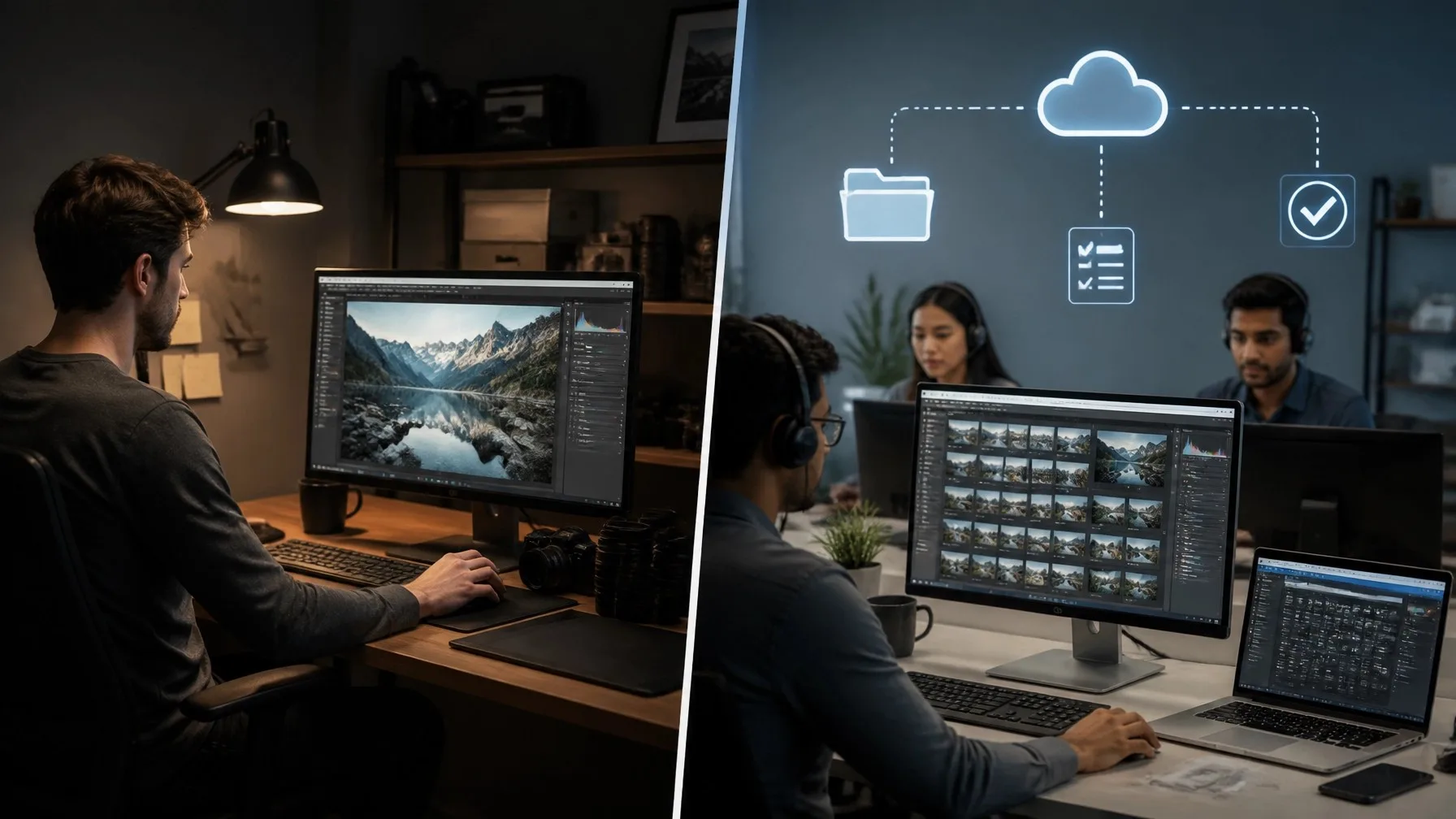
If you’re a photographer juggling shoots, client meetings, and endless hours of post-production, you’re not alone. Many creative professionals struggle to balance their passion for photography with the time-consuming reality of editing. When you outsource photo editing, you reclaim valuable hours while maintaining the professional quality your clients expect. This approach has become essential for photographers who want to scale their business without sacrificing their creative vision or personal time.

In this guide, you’ll discover seven compelling reasons why outsourcing your photo editing can transform your photography business, improve work-life balance, and help you deliver stunning results faster than ever before.

Key Takeaways

  • Outsource photo editing to free up 20-30 hours per week for shooting and client relationships
  • Professional editing services deliver consistent, high-quality results that match your unique style
  • Outsourcing reduces operational costs compared to hiring full-time in-house editors

1. Save Precious Time and Focus on What You Love

One-liner: Outsourcing photo editing frees photographers from tedious post-production work, allowing them to spend more time behind the camera and building client relationships.

Every photographer knows the reality: for every hour spent shooting, there are typically three to four hours of editing. When you outsource photo editing for photographers, you immediately reclaim those hours. Instead of spending evenings and weekends color-correcting and retouching, you can focus on perfecting your craft, meeting new clients, or simply enjoying downtime. Professional photographers who outsource their editing report gaining back 20-30 hours per week. That’s time you can invest in learning new techniques, scouting locations, marketing your services, or growing your business in meaningful ways. The freedom to focus on what you truly love—creating stunning images—becomes possible when editing is handled by skilled professionals.

2. Maintain Consistent Quality Across All Projects

One-liner: Professional editing teams deliver uniform quality and style consistency that’s difficult to maintain when editing alone, especially during busy seasons.

Consistency is crucial for building a recognizable brand as a photographer. When you handle all editing yourself during peak wedding season or holiday shoots, fatigue can lead to inconsistent results. Outsourcing to experienced editors ensures every image meets the same high standards. Professional retouching teams create detailed style guides based on your preferences, ensuring your signature look remains intact across hundreds or thousands of photos. Whether you’re editing product shots for e-commerce clients or portraits for families, consistent quality builds trust and keeps clients coming back. Statistics show that 73% of clients choose photographers based on portfolio consistency, making this benefit crucial for business growth.

3. Scale Your Business Without Hiring Full-Time Staff

One-liner: Outsource photo retouching services to handle volume fluctuations without the commitment and overhead costs of permanent employees.

Growing a photography business often means facing a dilemma: hire full-time editors or turn down work. When you outsource photo editing services, you gain flexibility to scale up or down based on demand. During busy seasons, professional editing teams can handle thousands of images weekly. During slower months, you only pay for what you need. Consider these advantages:

  • No employee benefits, office space, or equipment costs
  • Access to multiple editors with specialized skills
  • 24-hour turnaround options for urgent projects
  • Ability to take on larger clients without infrastructure investment

This scalability is particularly valuable for real estate photographers or wedding photographers who experience seasonal demand spikes. You can confidently accept more bookings knowing your editing capacity can expand instantly.

4. Access Expert-Level Skills and Latest Techniques

One-liner: Professional editing services employ specialists who stay current with industry trends, advanced techniques, and cutting-edge software you might not have time to master.

Photo editing has become increasingly sophisticated, with new tools and techniques emerging constantly. When you outsource, you tap into a team of specialists who dedicate their entire workday to perfecting editing skills. These professionals master complex techniques like frequency separation, advanced color grading, and seamless composite creation. They understand nuances like skin tone preservation, natural-looking retouches, and subtle enhancements that elevate images from good to exceptional. For instance, outsource photo retouching to experts who specialize in beauty, fashion, or commercial work brings professional-grade results without years of specialized training. Your images benefit from their expertise while you focus on capturing the perfect shot.

5. Reduce Operational Costs and Increase Profit Margins

One-liner: Outsourcing photo editing services costs significantly less than hiring in-house editors while delivering comparable or superior results.

The financial benefits of outsourcing are substantial. A full-time editor’s annual salary, including benefits and equipment, can exceed $50,000-$70,000. Compare that to outsourcing costs, which typically range from $0.50 to $5 per image depending on complexity. Even high-volume photographers spending $1,000-$2,000 monthly on editing services save considerably compared to full-time staff. Beyond direct costs, consider these savings:

  • No need for expensive editing software licenses for multiple users
  • Reduced computer hardware and maintenance expenses
  • Eliminated training and onboarding time
  • No paid time off or sick leave coverage

Many photographers find that professional services not only reduce costs but also improve their bottom line by enabling them to shoot more sessions. When editing no longer limits your capacity, you can increase revenue while maintaining healthy profit margins.

6. Meet Tight Deadlines With Faster Turnaround Times

One-liner: Professional editing teams work around the clock to deliver edited photos in 24-48 hours, helping you exceed client expectations and win more referrals.

Client expectations have evolved. Today’s couples want their wedding photos within weeks, not months. E-commerce sellers need product images edited overnight. When you outsource photo retouching services, you gain access to teams that work in shifts across time zones, ensuring rapid turnaround. While you sleep, editors on the other side of the world are perfecting your images. This speed advantage translates directly into client satisfaction and business growth. Quick delivery impresses clients, generates positive reviews, and encourages referrals. You can confidently promise shorter turnaround times than competitors while still delivering exceptional quality. Research shows that photographers offering 7-day delivery receive 40% more inquiries than those with 30-day timelines.

7. Maintain Better Work-Life Balance

One-liner: By outsourcing editing tasks, photographers reclaim evenings and weekends, reducing burnout and sustaining long-term passion for their craft.

Photography should be fulfilling, not exhausting. Yet many photographers find themselves chained to their computers, sacrificing family time and personal interests to meet editing deadlines. This path leads to burnout, declining creativity, and questioning career choices. When you outsource, you immediately restore balance to your life. Imagine finishing a Saturday wedding and spending Sunday with family instead of editing. Picture taking a real vacation without your laptop. Professional editing services give you permission to disconnect from post-production stress while maintaining business commitments. According to a recent survey, 68% of photographers who outsource report improved mental health and renewed enthusiasm for photography. Investing in affordable editing services isn’t just a business decision—it’s an investment in your wellbeing and longevity in this creative field.

Conclusion

Outsourcing photo editing isn’t about cutting corners—it’s about working smarter. By partnering with professional editors, you free yourself to focus on capturing amazing images, building client relationships, and growing your business. From saving 20+ hours weekly to accessing expert-level skills, the benefits extend far beyond simple time savings. Whether you’re a solo wedding photographer or managing a busy commercial studio, outsource photo editing to reclaim your time, reduce costs, and deliver consistent quality that keeps clients coming back.

Ready to experience these benefits firsthand? Start with a free trial and discover how professional editing support can transform your photography business today.

Why should photographers outsource photo editing today?

Photographers should outsource photo editing to save 20-30 hours weekly, maintain consistent quality, and scale their business efficiently. Professional editing services handle post-production while photographers focus on shooting, client relationships, and creative growth without hiring full-time staff.

What are the main benefits of outsource photo editing services?

Outsource photo editing services provide faster turnaround times, access to expert editors, and reduced operational costs. Photographers gain flexibility to handle more clients, maintain work-life balance, and deliver professional results consistently without investing in expensive software or training.

How much time can photographers save by outsourcing photo retouching?

Photographers typically save 20-30 hours per week when they outsource photo retouching tasks. This time can be reinvested in capturing more shoots, marketing services, learning new techniques, or enjoying personal time, significantly improving both productivity and quality of life.

Is outsource photo editing for photographers cost-effective?

Yes, outsourcing photo editing for photographers is highly cost-effective, ranging from $0.50-$5 per image compared to $50,000-$70,000 annually for full-time editors. Photographers avoid equipment costs, software licenses, benefits, and training expenses while accessing professional-quality editing on demand.

Can I maintain my unique editing style when outsourcing?

Absolutely. Professional outsource photo retouching services create detailed style guides based on your sample edits. Editors match your color preferences, retouching intensity, and creative vision precisely. You maintain complete creative control while benefiting from consistent quality across all projects.

What types of photography can benefit from outsourced editing?

Wedding photography, real estate, portraits, product photography, and commercial shoots all benefit significantly. High-volume photographers handling events or album design projects gain the most. Any photography requiring consistent quality and quick turnaround times benefits from professional outsourcing.

How quickly are outsourced photo editing projects completed?

Professional editing services typically deliver standard projects within 24-48 hours. Rush services offer a 12-hour turnaround for urgent needs. Large collections like weddings may take 3-5 days. Wedding & event photo editing teams work around the clock to meet tight deadlines.

What should I look for when choosing outsource photo editing services?

Look for services offering style matching, fast turnaround, secure file handling, and satisfaction guarantees. Check portfolio quality, client reviews, pricing transparency, and communication responsiveness. Ensure they understand your specific photography genre and can handle your volume requirements consistently.

Do successful professional photographers outsource their editing?

Yes, many successful professional photographers outsource photo retouching services to maintain productivity and business growth. Industry leaders recognize that outsourcing editing maximizes shooting time and client service. It’s a strategic decision that enables scaling without compromising quality or burning out.

How do I get started with outsourcing my photo editing?

Start by identifying your editing needs and budget. Research reputable services, then submit a small test batch with detailed instructions. Review results and provide feedback. Most professional services offer trials through their contact page to ensure perfect style matching before committing.

Outsource Video Editing: Save Time and Scale Faster

Video content dominates digital marketing, but editing takes hours you don’t have. When you outsource video editing, you free up valuable time while maintaining professional quality. Whether you’re a content creator, marketing agency, or business owner, outsourcing transforms how you produce and scale video content. This guide explores why outsourcing works, what to expect, and how to choose the right partner for your editing needs.

Key Takeaways

  • Outsourcing video editing saves 15-20 hours per week for content creators and businesses
  • Professional editing services deliver faster turnaround times while maintaining consistent quality across all projects
  • Cost-effective solutions allow you to scale content production without hiring full-time editors

What Does It Mean to Outsource Video Editing?

Outsourcing video editing means hiring external professionals or agencies to handle your post-production work. Instead of spending hours cutting footage, you send raw files to experienced editors who deliver polished, ready-to-publish content.

This approach has become essential for creators and businesses producing regular video content. Professional video editing services handle everything from basic cuts to advanced color grading and motion graphics. You maintain creative control through feedback rounds while editors execute your vision. The model works for YouTube videos, social media content, corporate presentations, wedding films, and marketing campaigns. By outsourcing, you focus on filming and strategy while experts handle the technical editing process.

Top Benefits of Outsourcing Video Editing Services

Save Time and Focus on Core Activities

Time is your most valuable asset as a creator or business owner. Editing a single 10-minute video can take 3-5 hours, depending on complexity. When you outsource video editing services, you reclaim that time immediately.

Professional editors work while you film, plan, or engage with your audience. Photographers can hire dedicated editors to handle their entire post-production workflow. This parallel workflow accelerates your content pipeline dramatically. Many creators report doubling their output after outsourcing because they can focus on what they do best—creating content and building their brand.

Access Professional Quality and Expertise

Professional editors bring years of experience and technical skills you might not have. They know advanced techniques for color correction, audio mixing, transitions, and effects that elevate your content above amateur work.

These specialists stay current with editing software updates and industry trends. They understand pacing, storytelling, and visual flow that keeps viewers engaged. For specialized content like music videos or corporate projects, expert editors ensure your videos meet professional standards. Their expertise transforms raw footage into compelling stories that resonate with your audience and strengthen your brand image.

Cost-Effective Compared to Hiring In-House

Hiring a full-time video editor costs $40,000-$70,000 annually, plus benefits, equipment, and software licenses. Outsourcing gives you professional editing at a fraction of that cost. You pay only for the work you need, when you need it.

Cost Comparison Breakdown:

  • Full-time editor: $3,500-$6,000/month (salary + benefits)
  • Freelance editor: $50-$150/hour
  • Outsourced editing service: $15-$50/hour with consistent quality
  • Software licenses: Included with most services

This flexibility matters especially for seasonal businesses or growing channels. You scale editing capacity up during busy periods and down when content volume drops. No long-term commitments or overhead expenses—just quality editing when you need it.

Consistent Quality Across All Projects

Maintaining consistent style and quality across videos strengthens your brand. When you work with professional editing services, they create style guides and templates specific to your brand. Every video follows the same color palette, transition style, and audio levels.

This consistency builds viewer recognition and trust. Your audience knows what to expect with each upload. Professional teams also have quality control processes and multiple editors who can step in if needed. You never miss deadlines because someone is sick or on vacation. The consistency extends to technical specifications too—proper resolution, aspect ratios, and compression settings for each platform you publish on.

How to Choose the Right Video Editing Service

Evaluate Portfolio and Specialization

Start by reviewing the editing service’s previous work. Look for examples that match your content type—whether that’s YouTube videos, wedding films, corporate content, or social media clips.

Check if their editing style aligns with your vision. Some editors excel at fast-paced, energetic cuts for social media. Others specialize in cinematic storytelling or documentary-style editing. Don’t hesitate to request test edits before committing. A reputable service will provide samples or trial edits to prove their capabilities. Pay attention to their attention to detail, color grading quality, audio balance, and overall polish in finished videos.

Consider Turnaround Time and Communication

Fast turnaround times keep your content calendar on track. Ask about standard delivery times and rush options for urgent projects. Most professional services deliver simple edits within 24-48 hours and complex projects within 3-5 days.

Key Questions to Ask:

  • What is your standard turnaround time?
  • Do you offer expedited services for urgent deadlines?
  • How do you handle revisions and feedback?
  • What communication channels do you use?
  • What time zone are you in, and how does that affect collaboration?

Clear communication prevents frustration and delays. The best outsourcing partners respond quickly, understand feedback, and proactively ask questions when instructions aren’t clear. They should use project management tools that let you track progress and provide organized feedback.

Review Pricing and Service Packages

Transparent pricing helps you budget effectively. Most video editing services offer several pricing models: per-video rates, hourly rates, or monthly packages. Compare what’s included at each price point.

Look for services that match your budget without sacrificing quality. Cheaper isn’t always better—poor editing damages your brand. Request detailed quotes that break down costs for specific services like color grading, motion graphics, or multiple format exports. Many services offer pricing packages that bundle common tasks at discounted rates. Calculate your monthly video volume to determine which pricing structure gives you the best value.

Common Challenges When You Outsource Video Editing

Managing Quality Control

Ensuring editors understand your vision takes effort upfront. Create detailed style guides that document your preferences for pacing, music, transitions, and branding elements. Include examples of videos you love and explain why they work.

Use the first few projects as calibration. Provide thorough feedback that helps editors learn your style. Most quality issues occur because instructions weren’t clear, not because editors lack skill. Record video feedback where you walk through the timeline pointing out what works and what needs adjustment. This visual feedback is more effective than written notes. Once editors understand your preferences, consistency improves dramatically and revisions decrease.

Communication and Revision Process

Miscommunication causes delays and frustration. Establish clear revision policies from the start. Know how many revision rounds are included and what constitutes a major change versus a minor tweak.

Use time-stamped comments on video platforms like Frame.io or Wipster. These tools let you leave feedback directly on the timeline, eliminating confusion about which section needs changes. Set realistic deadlines that account for revision time. If you need a video published Thursday, request the first draft by Monday to allow time for feedback and changes. Good editing partners welcome feedback but also educate clients about what’s technically feasible within budget and time constraints.

Data Security and Confidentiality

Your raw footage might contain sensitive information or unreleased content. Before sharing files, verify the editing service has security measures in place. Ask about their data handling policies and confidentiality agreements.

Security Checklist:

  • Do they sign NDAs for sensitive projects?
  • How is file transfer secured (encrypted upload)?
  • Where are your files stored during editing?
  • How long do they retain your footage after project completion?
  • Can they delete files immediately upon request?

Reputable services understand these concerns and have protocols protecting client data. They use secure cloud storage with encryption and delete files according to agreed schedules. Don’t hesitate to discuss security requirements, especially for corporate, legal, or pre-release content.

Best Practices for Successful Video Editing Outsourcing

Organize Your Footage Before Sending

Clean organization makes editing faster and cheaper. Create clear folder structures with descriptive names. Separate footage by scene, date, or camera angle. Remove duplicate takes and obviously unusable clips.

Include a shot list or rough notes about what you filmed. This context helps editors understand your intentions and make better creative decisions. Also provide any specific assets needed—logos, music files, graphics, or fonts. The more organized your delivery, the faster editors can work and the fewer questions they’ll need to ask, speeding up your entire production timeline.

Provide Clear Creative Direction

Detailed briefs prevent misunderstandings and wasted revision time. Describe the video’s purpose, target audience, and desired tone. Include reference videos that inspire you or demonstrate the style you want.

Specify technical requirements: aspect ratio (16:9, 9:16, 1:1), video length, platform where it’ll be published, and any brand guidelines. Mention required elements like call-to-actions, lower thirds, or text overlays. If you have specific music preferences, share examples or moods rather than assuming editors will pick perfectly. The more context you provide, the closer the first draft will be to your vision.

Establish Long-Term Partnerships

Building relationships with reliable editors pays dividends over time. They learn your style, anticipate your needs, and work more efficiently. Consistency in partnership reduces onboarding time for each new project.

Many successful creators and businesses establish exclusive relationships with editing teams. This ensures availability during peak periods and often results in volume discounts. Long-term partners become extensions of your creative team. They suggest improvements, catch mistakes, and help maintain quality standards across all content. Treat your editing partners as valued collaborators, not just vendors, and you’ll see better results and stronger working relationships.

Conclusion

When you outsource video editing, you unlock growth potential that in-house editing simply cannot match. Professional editing services deliver consistent quality, save valuable time, and scale with your needs—all at costs far below hiring full-time staff. The key is choosing partners who understand your vision, communicate effectively, and deliver reliably.

Start small with a test project to evaluate fit before committing to larger volumes. As you build trust and streamline your workflow, outsourcing becomes your competitive advantage in producing high-quality video content consistently. Ready to transform your video production process? Try a free trial and experience professional editing that lets you focus on what you do best—creating compelling content that grows your brand.

Why should I outsource video editing for my business?

Outsourcing video editing saves 15-20 hours weekly, allowing you to focus on content creation and business growth. Professional editors deliver consistent quality, faster turnaround times, and cost-effective solutions compared to hiring full-time staff, helping you scale content production efficiently.

What types of videos can I outsource for editing?

You can outsource editing for YouTube videos, social media content, wedding films, corporate presentations, product demos, and promotional campaigns. Professional services handle everything from basic cuts to advanced color grading, motion graphics, and wedding video editing with specialized expertise.

How much does it cost to outsource video editing services?

Outsource video editing services typically cost $15-$50 per hour for quality work. Simple social media edits start around $20-30 per video, while complex projects range from $100-300. Monthly packages offer better value for regular content creators producing multiple videos weekly.

How do I find reliable video editors to outsource to?

Research editing services by reviewing their portfolio, client testimonials, and sample work. Request test edits before committing, verify turnaround times, and ensure clear communication channels. Choose partners specializing in your content type for best results and consistent quality.

What’s the typical turnaround time when I outsource video editing?

Professional editing services deliver simple videos within 24-48 hours and complex projects in 3-5 business days. Rush services offer expedited 12-24 hour delivery for urgent deadlines. Turnaround depends on video length, complexity, revision rounds, and the service’s current workload.

Can outsourced editors maintain my brand consistency?

Yes, professional editors create custom style guides and templates specific to your brand. They maintain consistent colors, transitions, fonts, and pacing across all videos. Understanding the ordering process helps establish clear brand guidelines upfront for seamless consistency.

Is it better to outsource video editing or hire in-house?

Outsourcing video editing is more cost-effective for most businesses. Full-time editors cost $40,000-$70,000 annually plus benefits and equipment. Outsourcing provides professional quality at a fraction of the cost with flexible scaling based on your production needs without long-term commitments.

How do I send large video files to outsourced editors?

Use cloud transfer services like Google Drive, Dropbox, WeTransfer, or Vimeo for sending large video files. Most professional editing services provide secure upload portals designed for high-resolution footage. Avoid email attachments—cloud platforms ensure faster, more reliable file transfers.

What software do outsourced video editors use?

Professional video editors use industry-standard software including Adobe Premiere Pro, Final Cut Pro, DaVinci Resolve, and After Effects. You don’t need any editing software yourself—simply provide raw footage. Editors handle all technical aspects and deliver finished videos in your required format.

Can I outsource video editing for real estate and product content?

Absolutely. Professional editors specialize in real estate videos and product demonstrations, understanding specific requirements like property showcases, 360-degree tours, and e-commerce videos. Specialized services ensure proper lighting corrections, smooth transitions, and compelling narratives that drive sales and engagement.

What Every Photographer Should Know About Photography Retouching

Photography retouching has become an essential skill for modern photographers looking to deliver flawless images to their clients. Whether you’re shooting weddings, portraits, or commercial projects, understanding professional retouching techniques can transform good photos into stunning visual masterpieces. This guide explores seven essential photography retouching methods that every photographer should master, along with practical tips on when to consider professional photography retouching services to streamline your workflow and maintain consistent quality.

Key Takeaways

  • Photography retouching enhances image quality through color correction, skin smoothing, and background cleanup
  • Professional retouching services save photographers 5-10 hours per week on post-production work
  • Combining DIY retouching skills with outsourced services maximizes both quality and efficiency
  • Understanding core techniques helps photographers communicate better with editing teams

What Is Photography Retouching and Why Does It Matter?

Photography retouching is the process of enhancing and refining digital images to achieve professional-quality results. Unlike basic photo editing, retouching focuses on detailed adjustments that perfect every element of an image, from skin textures to background elements.

Professional retouching matters because it directly impacts client satisfaction and your brand reputation. Studies show that 87% of consumers consider image quality a deciding factor when choosing a photographer. Retouching removes distractions, corrects imperfections, and ensures your images meet the high standards clients expect. For photographers handling large volumes of work, professional retouching services can maintain quality while freeing up valuable time for shooting and client relationships. Whether you’re editing wedding photos or product images, mastering retouching techniques separates amateur work from professional portfolios.

Skin Retouching: Creating Natural-Looking Results

Skin retouching involves smoothing skin texture, removing blemishes, and evening out skin tones while preserving natural details. The goal is enhancement, not artificial perfection.

Professional skin retouching requires a delicate balance between removing imperfections and maintaining authentic texture. Start with frequency separation, a technique that separates skin texture from color, allowing independent adjustments. Remove temporary blemishes like acne or redness, but preserve natural features like freckles or beauty marks unless clients request otherwise. Use dodge and burn techniques to enhance facial contours subtly. For portrait and wedding photographers handling hundreds of images, outsourcing to wedding and event color correction services ensures consistent results across entire galleries. The key is maintaining skin pores and natural texture while achieving that polished, magazine-quality finish clients love.

Color Correction and Grading Techniques

Color correction ensures accurate, balanced colors across your images, while color grading adds creative mood and atmosphere. Both are fundamental to professional photography retouching.

Proper color correction starts with adjusting white balance to ensure accurate color representation. Fine-tune exposure, highlights, and shadows to reveal detail in all areas of your image. Once colors are balanced, apply creative color grading to establish mood—warm tones for romantic wedding shots, cool tones for corporate portraits, or vibrant colors for commercial work. Use selective color adjustments to draw attention to your subject. For photographers shooting real estate or product photography, maintaining color consistency across multiple images is crucial. Many photographers find that combining personal shooting expertise with professional photo editing services delivers the best results, especially when managing tight deadlines or bulk orders.

Examples of Color Correction Applications:

  • Wedding photography: Consistent skin tones across 500+ images
  • Real estate: Accurate representation of property colors and lighting
  • Product photography: True-to-life colors that match physical products
  • Portrait sessions: Flattering skin tones and complementary background hues

Background Cleanup and Enhancement

Background retouching removes distractions and enhances composition by cleaning up unwanted elements that draw attention away from your subject. Clean backgrounds create professional, polished images.

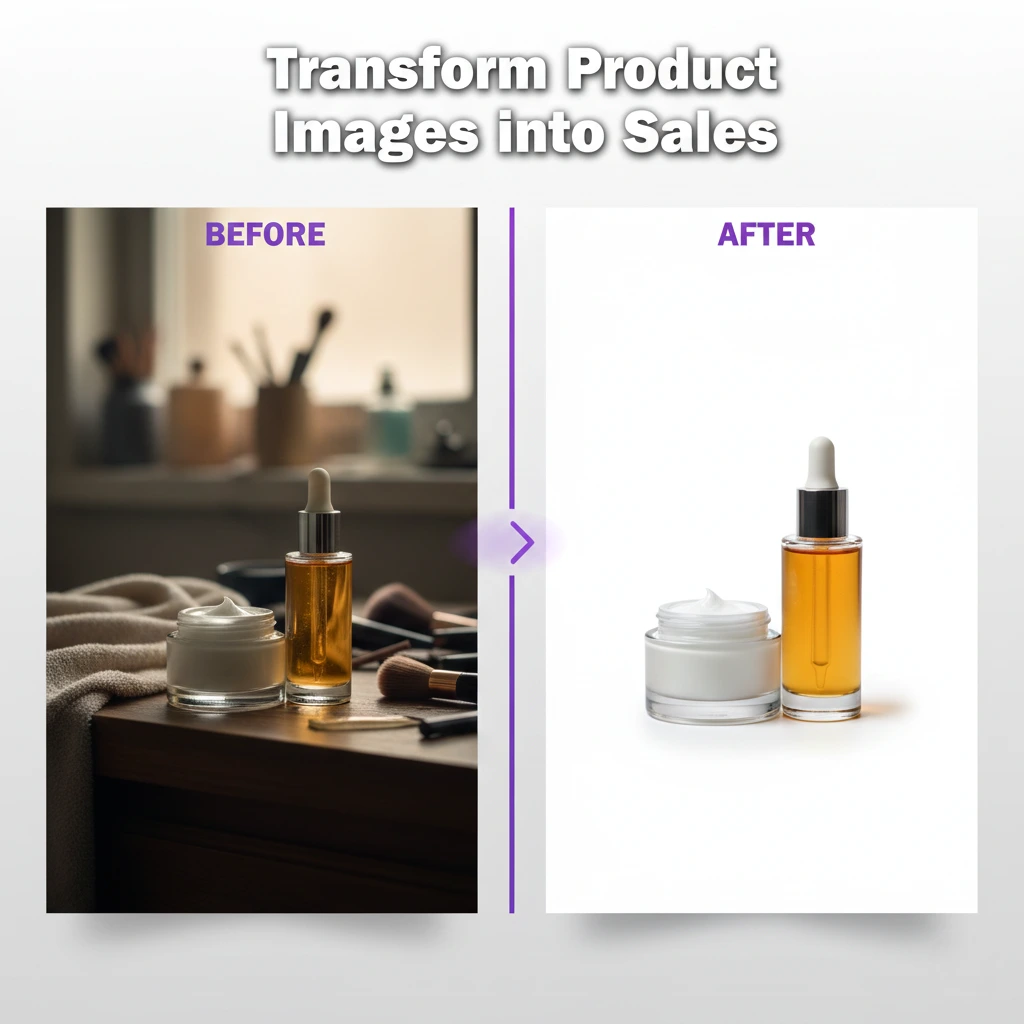
Start by removing obvious distractions like power lines, trash bins, or photobombers using cloning and healing tools. For portrait work, soften busy backgrounds to increase subject separation and create depth. In real estate photography, straighten vertical lines, enhance sky details, and remove temporary objects like trash cans or personal items. Product photographers often need pure white backgrounds, requiring precise masking and background replacement. Advanced techniques include sky replacement, perspective correction, and creating depth through selective blurring. Professional retouching services excel at these time-intensive tasks, typically completing background cleanup 3-4 times faster than photographers working alone while maintaining pixel-perfect precision.

Detail Enhancement and Sharpening Methods

Detail enhancement and sharpening make images crisp and professional by emphasizing important textures while controlling overall image clarity. Proper sharpening is the final polish on any retouched photograph.

Apply sharpening selectively rather than globally to avoid creating harsh, unnatural results. Focus sharpening on eyes, jewelry, and key details while keeping skin softer. Use different sharpening amounts for web versus print images—print files need more sharpening due to the diffusion of ink on paper. The unsharp mask, high-pass filter, and smart sharpen tools each serve different purposes. For fashion and product photography, extreme detail enhancement showcases textures like fabric weaves or product materials. However, over-sharpening creates halos and noise, so always zoom to 100% to check results. When handling large volumes of images, maintaining consistent sharpening levels across a set requires significant time and attention to detail.

Sharpening Best Practices by Genre:

  • Portraits: Eyes and hair (moderate sharpening)
  • Product photography: Overall product details (strong sharpening)
  • Real estate: Architectural elements (moderate to strong)
  • Fashion: Fabric texture and accessories (strong selective sharpening)

Dodge and Burn: Adding Depth and Dimension

Dodge and burn is a classic retouching technique that lightens (dodge) and darkens (burn) specific areas to create depth, dimension, and guide viewer attention. This technique elevates flat images into three-dimensional masterpieces.

Professional retouchers use dodge and burn to enhance facial contours, create drama in portraits, and add dimension to flat lighting. Work on a separate layer using a soft brush at low opacity (5-10%) for subtle, natural results. Dodge highlights and natural light areas to enhance brightness, while burning shadows adds depth and definition. This technique works beautifully for contouring faces, emphasizing muscles in fitness photography, or adding drama to landscape elements. For photographers looking to develop these advanced skills, studying professionally edited examples helps build understanding. When time is limited, partnering with experienced teams who specialize in photography retouching services ensures your images receive expert-level attention to these subtle but impactful details.

When to Outsource: Maximizing Efficiency with Professional Services

Outsourcing photography retouching allows photographers to focus on shooting and client relationships while maintaining consistent, high-quality image delivery. Smart outsourcing strategy separates successful studios from overwhelmed photographers.

Consider outsourcing when you’re spending more than 40% of your time on post-production instead of shooting or marketing. Professional editing services typically cost $0.50-$5 per image depending on complexity, far less than the value of photographer time spent on repetitive edits. The best approach combines DIY work on hero images requiring personal artistic vision with outsourced editing for bulk work requiring consistency. Look for services offering custom style matching, quick turnaround (24-48 hours), and unlimited revisions. Pinnacle Edits specializes in matching your unique editing style while handling volume efficiently. Calculate your hourly rate, then compare it against outsourcing costs—most photographers find they save money while improving work-life balance. Start with a free trial to test quality and communication before committing to larger projects.

Conclusion

Photography retouching transforms good images into exceptional ones through careful attention to skin texture, color accuracy, background cleanup, detail enhancement, and dimensional lighting. Mastering these seven essential techniques elevates your photography business by delivering the polished, professional results clients expect. Whether you choose to develop these skills in-house or partner with professional photography retouching services, understanding the fundamentals helps you communicate your vision effectively and maintain quality control. The most successful photographers combine personal artistic vision with efficient workflows, often leveraging professional editing support to focus on what they do best—capturing amazing moments. Ready to streamline your editing workflow? Contact Pinnacle Edits today to discover how professional retouching services can save you time while enhancing your image quality.

What is photography retouching?

Photography retouching is the process of digitally enhancing images to improve quality, remove imperfections, and achieve professional results. It includes skin smoothing, color correction, background cleanup, and detail enhancement to create polished, client-ready photographs.

How much does photography retouching cost?

Photography retouching typically costs between $0.50 to $5.00 per image, depending on complexity and turnaround time. Basic edits like color correction are cheaper, while advanced retouching with extensive detail work costs more. Professional editing services offer volume discounts.

What is the difference between photo editing and retouching?

Photo editing involves basic adjustments like cropping, exposure, and color correction, while photography retouching services focus on detailed enhancements such as skin smoothing, blemish removal, and fine-tuning specific elements. Retouching is more time-intensive and requires advanced skills.

How long does it take to retouch a photo professionally?

Professional photo retouching takes 15-45 minutes per image depending on complexity. Simple skin retouching requires less time, while detailed work on portraits or product images takes longer. Outsourcing to editing teams speeds up delivery for bulk projects.

Is photography retouching necessary for wedding photos?

Yes, photography retouching is essential for wedding photos to ensure consistent quality, flattering skin tones, and distraction-free backgrounds across hundreds of images. Professional retouching enhances the emotional impact and creates timeless memories clients treasure. Most photographers include retouching in packages.

Can I learn photography retouching on my own?

Absolutely! You can learn photography retouching through online tutorials, courses, and practice. However, mastering advanced techniques takes months of dedicated effort. Many photographers combine personal skills with professional retouching support for efficiency and consistency on client projects

What software is best for photography retouching?

Adobe Photoshop is the industry standard for photography retouching, offering advanced tools like frequency separation and dodge-burn techniques. Lightroom handles batch processing and color correction well. Many professionals use both together for optimal workflow efficiency and quality results.

Should photographers outsource retouching work?

Photographers should outsource retouching when post-production consumes over 40% of their time. Outsourcing maintains quality while freeing time for shooting and client relationships. It’s cost-effective for bulk work, allowing photographers to focus on revenue-generating activities like booking more sessions.

How do I maintain consistent retouching styles across projects?

Maintain consistent photography retouching by creating custom presets, documenting your editing process, and using reference images. Professional services offer style matching to replicate your unique aesthetic across all images. Regular quality checks and feedback loops ensure consistency throughout projects.

What are common mistakes in photography retouching?

Common mistakes include over-smoothing skin (removing natural texture), over-sharpening (creating halos), incorrect color balance, and excessive dodge-burn. Many photographers also over-edit backgrounds or ignore consistency across image sets. Professional album design services help avoid these pitfalls through expert oversight.

Professional Photo Editing: Transform Your Images Like a Pro

In today’s visual-driven world, professional photo editing has become essential for photographers, businesses, and content creators who want their images to stand out. Whether you’re capturing weddings, products, or real estate properties, raw photos rarely tell the complete story without expert enhancement. This guide explores how professional picture editing transforms ordinary images into captivating visuals, the techniques professionals use, and how outsourcing can save you valuable time while maintaining exceptional quality. You’ll learn practical tips to elevate your photography game and understand when investing in professional photoshop services makes the most business sense.

Key Takeaways

  • Professional photo editing enhances image quality through color correction, retouching, and advanced techniques that raw photos often lack
  • Outsourcing editing to experts saves photographers 10-15 hours per week, allowing more time for creative work and client acquisition
  • Strategic use of professional editing services improves client satisfaction rates by up to 40% and helps build a stronger portfolio

What Makes Professional Photo Editing Essential?

Professional photo editing transforms good photographs into exceptional visual content that captures attention and drives results. Every photographer knows that capturing the shot is only half the battle. Raw images often contain lighting inconsistencies, color imbalances, and minor distractions that detract from the subject’s impact. Professional editors use advanced techniques to correct these issues while preserving the authentic essence of your original vision.

The difference between amateur and professional editing becomes immediately apparent in the final product. Professional editors understand color theory, composition principles, and industry-specific requirements that elevate images beyond basic adjustments. They work with calibrated monitors, use non-destructive editing workflows, and apply techniques that enhance without over-processing. For businesses selling products online, this level of quality directly impacts conversion rates—studies show that professional product images can increase sales by 30% or more. Whether you’re running an e-commerce store or building your photography portfolio, investing in professional photo editing services ensures your images meet the high standards today’s audiences expect.

Core Techniques Used in Professional Picture Editing

Color correction and enhancement form the foundation of professional picture editing, ensuring images display accurate tones and vibrant appeal. Professional editors adjust white balance, exposure levels, contrast, and saturation to create visually balanced images that look natural yet polished. This process goes beyond simple filters—it requires understanding how different lighting conditions affect color temperature and how to compensate for camera limitations.

Advanced retouching techniques remove distractions while maintaining image authenticity and natural appearance. This includes:

  • Skin retouching: Smoothing blemishes while preserving natural texture and pores
  • Object removal: Eliminating unwanted elements like power lines, trash, or photobombers
  • Background editing: Replacing or enhancing backgrounds to improve composition
  • Detail enhancement: Sharpening key elements while maintaining overall softness where needed
  • Perspective correction: Fixing distortion in architectural and product photography

Professional editors also specialize in different photography niches. For example, real estate photo editing requires specific skills like window pulling, HDR blending, and twilight conversions that make properties more appealing to potential buyers. Wedding photographers benefit from editors who understand how to create consistent looks across hundreds of images while preserving emotional moments. Product photographers need editors skilled in creating clean white backgrounds, shadow creation, and color matching for e-commerce platforms.

Benefits of Outsourcing to Professional Photoshop Services

Time savings represent the most immediate benefit when outsourcing photo editing to professional photoshop services. Professional photographers typically spend 3-4 hours editing for every hour of shooting. By outsourcing this work, you reclaim 10-15 hours weekly that can be redirected toward client consultations, marketing, or shooting additional sessions. This multiplier effect significantly increases your earning potential—instead of earning $50 per hour editing, you could be earning $200 per hour shooting.

Consistent quality across large volumes of images becomes achievable when working with dedicated editing teams. Professional editing services maintain style guides, use preset workflows, and employ quality control processes that ensure every image meets your specifications. This consistency strengthens your brand identity and builds client trust. Additionally, professional services offer:

  • Scalability: Handle peak season workloads without hiring full-time staff
  • Expertise access: Leverage specialized skills for different photography types
  • Cost efficiency: Pay only for services needed rather than software licenses and training
  • Fast turnaround: Most services deliver edited images within 24-48 hours
  • Revision support: Professional teams accommodate feedback and adjustment requests

For photographers building their business, outsourcing creates a professional image even when you’re just starting out. Clients receive polished, publication-ready images that reflect well on your brand. Many successful photographers attribute their growth to partnering with reliable editing services that allowed them to focus on what they do best—creating meaningful connections with clients and capturing special moments. If you’re ready to take this step, consider starting with a free trial to experience the quality difference professional editing provides.

Choosing the Right Professional Photo Editing Partner

Evaluating editing quality requires reviewing portfolios, requesting sample edits, and assessing whether their style aligns with your vision. Look for editing services that showcase diverse work across multiple photography genres, demonstrating versatility and technical skill. Pay attention to details like skin texture preservation in portraits, natural-looking color grading, and clean edges in product photos. The best editing partners provide before-and-after examples that highlight their ability to enhance without over-editing.

Communication and workflow compatibility determine long-term partnership success more than technical skills alone. Consider these essential factors:

  • Turnaround time: Does their delivery schedule align with your client commitments?
  • File handling: Do they accept your preferred file formats and delivery methods?
  • Communication channels: Can you easily provide feedback and ask questions?
  • Pricing structure: Are costs transparent and predictable for your budget?
  • Revision policy: How many rounds of adjustments are included?
  • Security measures: How do they protect your client’s privacy and image rights?

Test the relationship with a small batch before committing to larger projects. Many professional services, including Pinnacle Edits’ editing solutions, offer trial periods where you can evaluate their work quality, communication responsiveness, and whether they understand your creative direction. During this trial, be specific about your expectations—provide detailed reference images, explain your preferred editing style, and give constructive feedback. A quality editing partner will adapt to your needs and deliver consistent results that match your vision. This partnership approach transforms editing from a transactional service into a strategic asset that helps grow your photography business.

Professional Editing Tips for Different Photography Niches

Wedding and event photography demands efficient batch processing while maintaining emotional authenticity in every image. Professional editors use consistent color grading across entire galleries to create cohesive storytelling that flows naturally from ceremony to reception. Key techniques include:

  • Exposure balancing: Correcting challenging lighting from outdoor ceremonies to dim reception venues
  • Selective retouching: Enhancing key moments while batch-processing candid shots
  • Color harmony: Creating signature looks that become part of your brand identity
  • Timeline efficiency: Delivering hundreds of edited images within contracted deadlines

For wedding and event photography, professional editors understand the importance of preserving genuine expressions and emotional moments while removing technical imperfections. They enhance skin tones flatteringly across diverse guests, manage mixed lighting conditions, and ensure consistency when multiple photographers cover the same event.

Product and e-commerce photography requires precision editing that showcases items accurately while making them visually appealing. Professional product editors create clean, distraction-free images optimized for online shopping platforms. This includes:

  • Background removal: Creating pure white backgrounds that meet Amazon and other marketplace requirements
  • Shadow creation: Adding natural-looking drop shadows or reflection shadows for dimension
  • Color accuracy: Ensuring products display true-to-life colors to reduce return rates
  • Detail enhancement: Sharpening textures and materials so customers can virtually “feel” the product
  • Consistency: Maintaining identical lighting and positioning across product lines

Real estate photography editing focuses on making properties look inviting and spacious while remaining truthful. Professional techniques include HDR blending to balance bright windows with interior details, vertical line correction for straight walls, and sky replacement for more appealing exteriors. The goal is creating images that generate showing appointments while accurately representing the property—a balance that requires both technical skill and ethical judgment.

Conclusion

Professional photo editing has evolved from a luxury to a business necessity for photographers and brands competing in today’s visual marketplace. Whether you need expert color correction, detailed retouching, or specialized editing for weddings, products, or real estate, partnering with professional editing services frees you to focus on creative work while ensuring consistent, high-quality results. The time savings, quality improvements, and scalability benefits make outsourcing a strategic investment rather than an expense. Ready to elevate your photography business? Contact Pinnacle Edits today to discover how professional photo editing can transform your workflow and delight your clients with stunning, polished images delivered fast.

What is professional photo editing?

Professional photo editing involves using advanced software and techniques to enhance images through color correction, retouching, and compositional improvements. Skilled editors apply precise adjustments that transform raw photographs into polished, publication-ready visuals while maintaining authenticity and natural appearance.

Why should I invest in professional picture editing?

Professional picture editing elevates image quality, saves valuable time, and ensures consistency across your portfolio. It enhances client satisfaction, increases conversion rates for commercial work, and allows photographers to focus on shooting rather than spending hours editing.

How much does professional photo editing cost?

Professional photo editing typically costs $0.25 to $5 per image, varying by complexity and turnaround needs. Basic adjustments cost less, while advanced retouching and specialized techniques require higher investment. Many services offer volume discounts and custom packages.

What’s included in professional photoshop services?

Professional photoshop services include color correction, exposure adjustment, retouching, background editing, object removal, and specialized enhancements. Services are customized to photography types like portraits, products, or real estate images, ensuring results meet industry standards.

Can professional editing fix poorly taken photos?

Professional editing can significantly improve poorly taken photos by correcting exposure, adjusting colors, and removing distractions. However, it cannot fix severe blur or completely out-of-focus subjects. Quality source material always yields superior final results.

How long does professional photo editing take?

Professional photo editing turnaround ranges from 24 hours to one week, depending on image volume and complexity. Simple edits require minutes, while detailed retouching takes hours. Most professional editing teams offer rush options for urgent deadlines.

What software do professional photo editors use?

Professional photo editors primarily use Adobe Photoshop and Lightroom, combined with specialized tools like Capture One and DxO PhotoLab. They leverage multiple programs strategically—Lightroom for batch processing, Photoshop for detailed retouching, and plugins for efficiency.

Should I outsource photo editing or do it myself?

Outsource photo editing when editing time prevents shooting more sessions or business development. Learning basic skills helps communication with editors, while outsourcing bulk work to professional services maximizes efficiency and quality.

How do I maintain a consistent editing style?

Maintain consistent editing style by creating preset workflows, using reference images, and documenting adjustment parameters. Professional editing services maintain style guides and custom presets ensuring every image matches your brand identity and creative vision.

What’s the difference between basic and professional photo editing?

Basic editing uses simple adjustments like cropping and auto-filters, while professional photo editing includes advanced color grading, detailed retouching, and specialized techniques. Professional editors use calibrated equipment and non-destructive workflows for superior results.

Real Estate Photo Editing: 7 Ways to Boost Property Sales

Real estate photo editing has become essential for agents and photographers who want their property listings to stand out in a crowded market. Professional editing transforms ordinary photos into stunning visuals that attract buyers and close deals faster. In this blog, you’ll learn proven techniques to enhance property images, understand why quality editing matters, and discover how to save time while delivering exceptional results. Whether you’re a real estate photographer or an agent managing listings, these insights will help you create images that sell.

Key Takeaways

Professional real estate photography editing can increase property inquiries by up to 60% according to industry studies. Quality real estate image editing enhances lighting, removes distractions, and showcases properties in their best light. Outsourcing to real estate photo editing services saves time and ensures consistent, professional results across all your listings.

Why Real Estate Photo Editing Matters for Property Sales

Real estate image editing services play a crucial role in how potential buyers perceive a property online. First impressions happen within seconds, and poorly lit or cluttered photos can make buyers scroll past your listing without a second thought.

Professional editing corrects exposure issues, removes unwanted objects, and enhances colors to make spaces look inviting and spacious. Studies show that homes with high-quality photos sell 32% faster than those with amateur shots. When you invest in quality real estate editing, you’re investing in faster sales and higher offers. The difference between a DIY edit and professional work is visible—and buyers notice.

Essential Real Estate Photo Editing Techniques

Color Correction and White Balance

Real estate photography editing starts with proper color correction to ensure natural, accurate tones throughout the image. Poor lighting conditions often create yellow or blue tints that make rooms look uninviting or artificial.

Professional editors adjust white balance to neutralize color casts and bring warmth to spaces. They correct exposure levels so windows aren’t blown out and dark corners become visible. This technique makes properties look well-lit and welcoming, exactly what buyers want to see. Color correction also ensures consistency across multiple photos in the same listing, creating a cohesive visual story. When done right, viewers won’t notice the editing—they’ll just feel drawn to the space.

Examples of common color correction needs:

  • Correcting orange tungsten lighting in interior shots
  • Balancing daylight and indoor lighting
  • Removing green tints from fluorescent lights
  • Adjusting sunset or sunrise shots for natural warmth

Sky Replacement and HDR Blending

Sky replacement transforms dull, overcast exteriors into vibrant, appealing property photos that catch attention immediately. A bright blue sky with fluffy clouds makes properties look more desirable and helps listings stand out online.

HDR blending combines multiple exposures to show both interior details and beautiful window views in a single shot. This technique prevents windows from appearing as white boxes while keeping rooms properly lit. Professional real estate image editing services excel at natural-looking HDR that doesn’t appear over-processed. The goal is realism with enhancement, not fake-looking images that disappoint during property viewings. These techniques are particularly valuable for luxury properties where visual impact drives buyer interest.

Decluttering and Object Removal

Professional editors remove distracting elements that pull focus away from a property’s best features. This includes personal items, trash bins, power lines, or anything that makes spaces look cluttered or dated.

The process involves careful cloning and content-aware filling to seamlessly erase unwanted objects without leaving traces. Virtual staging sometimes follows decluttering, adding furniture to empty rooms so buyers can visualize the space better. However, all edits must remain honest—misrepresenting a property damages trust and can have legal implications. Ethical real estate photo editing enhances what’s already there without creating false expectations. Check out professional retouching services to understand how experts balance enhancement with authenticity.

Common items removed in real estate editing:

  • Personal photos and family items
  • Electrical outlets and cables in prominent positions
  • Trash cans and cleaning supplies
  • Cars blocking the property view
  • Security signs or personal information

Perspective Correction and Vertical Line Adjustment

Perspective correction fixes tilted walls and converging vertical lines that make properties look unprofessional. Wide-angle lenses essential for real estate photography often create distortion that needs correcting.

Professional editors straighten vertical lines so walls appear truly vertical, making rooms look larger and more appealing. They also correct horizontal lines to ensure floors and ceilings appear level. This technical adjustment might seem minor, but it significantly impacts how professional and trustworthy your listing appears. Properties with properly corrected perspectives convey attention to detail and quality, attracting serious buyers who appreciate professionalism.

How to Choose Quality Real Estate Photo Editing Services

Turnaround Time and Pricing

Fast turnaround matters in real estate where listings need to go live quickly to capture market interest. Most professional real estate photo editing services offer 24-48 hour delivery for standard packages.

Pricing typically ranges from $1.50 to $5.00 per image depending on complexity and the level of editing required. Basic edits cost less while advanced HDR, sky replacement, and virtual staging increase prices. Quality services like those offered through professional editing companies balance affordability with consistent results. Always request sample edits before committing to a service provider to ensure their style matches your needs. Remember that investing in quality editing pays off through faster sales and better client satisfaction.

Portfolio and Style Consistency

Review a service provider’s portfolio to ensure their editing style aligns with your brand and market expectations. Look for natural-looking enhancements rather than over-processed images that appear fake.

Consistency across a portfolio indicates reliable quality and professional workflows. Pay attention to how they handle different lighting conditions, property types, and challenging shots. The best real estate image editing services maintain quality whether editing a small condo or a luxury estate. Ask about their revision policy and communication process to avoid misunderstandings. A free trial can help you test their service before making a long-term commitment.

DIY Real Estate Photo Editing vs. Professional Services

Time Investment and Learning Curve

Learning real estate photography editing software like Lightroom or Photoshop takes months of practice to achieve professional results. Real estate professionals often lack the time needed to master editing while managing clients, showings, and negotiations.

DIY editing for a single property listing can take 3-5 hours depending on the number of photos and complexity. Professional editors complete the same work in 30-60 minutes per listing thanks to experience and efficient workflows. The time saved by outsourcing allows agents and photographers to focus on activities that directly generate revenue. Consider that your hourly rate likely exceeds the cost of professional editing services, making outsourcing a smart business decision.

Time breakdown for DIY vs. professional editing:

  • DIY learning curve: 40-80 hours to achieve basic competency
  • DIY per-listing editing: 3-5 hours for 25-30 images
  • Professional service: 24-48 hour turnaround, zero time investment
  • Cost comparison: Your billable hours vs. $1.50-$5 per image

Consistency and Professional Quality

Professional real estate photo editing services deliver consistent quality across hundreds of images and multiple listings. They use standardized workflows and quality checks that individual photographers struggle to maintain.

When you edit your own photos, quality varies based on your time, energy, and mood on any given day. Professional editors specialize in real estate work, understanding market expectations and buyer psychology. They stay updated on current trends and techniques without you investing time in continuous education. Outsourcing ensures every listing receives the same high-quality treatment, strengthening your professional reputation. Clients notice consistency and reward it with repeat business and referrals.

Conclusion

Real estate photo editing is no longer optional in today’s competitive property market—it’s essential for success. From color correction and sky replacement to decluttering and perspective fixes, professional editing transforms ordinary photos into compelling visuals that attract buyers and close sales faster. Whether you choose DIY editing or partner with experienced real estate image editing services, the goal remains the same: showcase properties in their absolute best light while maintaining honesty and authenticity. Ready to elevate your property listings? Explore professional photo editing services that deliver quality results without the time investment, so you can focus on what you do best—selling properties.

What is real estate photo editing?

Real estate photo editing is the process of enhancing property images through color correction, exposure adjustments, and removing distractions to make listings more appealing. Professional editing transforms raw photos into polished visuals that attract potential buyers and increase property inquiries.

Why is real estate photo editing important?

Real estate photo editing is crucial because first impressions happen within seconds online. Enhanced photos attract more potential buyers, increase property inquiries by up to 60%, and help listings stand out in competitive markets, ultimately leading to faster sales and better offers.

What are the benefits of professional real estate photography editing?

Professional real estate photography editing increases property appeal, generates more buyer interest, and helps homes sell 32% faster. Quality editing enhances lighting, removes clutter, corrects perspectives, and creates consistent visuals across listings, establishing credibility and professionalism for agents and photographers.

Can real estate image editing increase property sales?

Yes, real estate image editing significantly boosts property sales by making listings stand out online. High-quality edited photos attract more views, generate increased inquiries, and help properties sell faster while potentially commanding higher offers from buyers impressed by professional presentation.

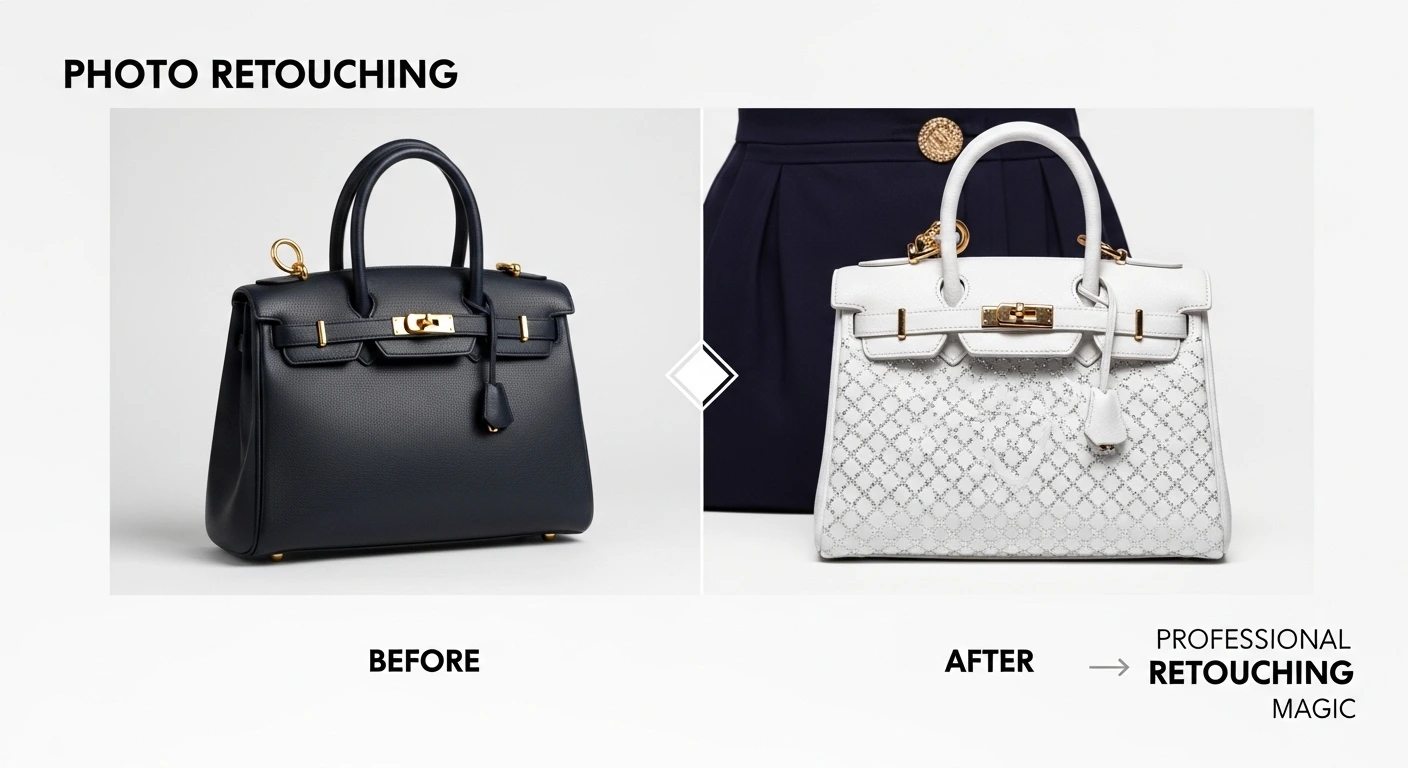
Photo Retouching: Transform Your Images Like a Pro

Photo retouching has become essential for photographers who want their work to stand out. Whether you shoot weddings, portraits, or product images, knowing how to enhance photos professionally can make the difference between good and extraordinary results. This guide will walk you through everything you need to know about photo retouching, from basic techniques to choosing the right services that save you time and deliver consistent quality.

Key Takeaways

This comprehensive guide covers the essentials of professional photo retouching and image retouching techniques. You’ll learn about different retouching methods, discover when to use photo retouching services, and understand how outsourcing can boost your photography business. We’ll also explore industry best practices that help photographers deliver stunning results faster while maintaining their creative vision and meeting client expectations consistently.

What Is Photo Retouching and Why Does It Matter?

Photo retouching is the process of enhancing images by correcting imperfections, adjusting colors, and improving overall visual quality to create polished, professional results.

Professional photographers know that raw images rarely capture the full potential of a scene. Image retouching transforms good photos into exceptional ones by removing distractions, enhancing lighting, and refining details that the camera might miss. For wedding photographers, this means perfecting skin tones and removing temporary blemishes. Product photographers use retouching to ensure items look their absolute best for e-commerce listings. Portrait artists rely on subtle enhancements that preserve natural beauty while creating magazine-quality results. The key is knowing when and how much retouching to apply without making images look artificial or over-processed.

Essential Photo Retouching Techniques Every Photographer Should Know

Understanding core retouching methods helps photographers communicate their needs clearly and achieve consistent results across their portfolio.

Skin Retouching: This involves smoothing texture while preserving natural pores, removing temporary blemishes, and evening out skin tones without making subjects look plastic. Professional retouchers use frequency separation techniques that separate texture from color information.

Color Correction: Adjusting white balance, correcting color casts, and ensuring consistent tones across an entire photo set. This becomes especially important when shooting in mixed lighting conditions or across multiple sessions.

Background Editing: Removing distractions, changing backgrounds entirely, or cleaning up cluttered scenes that take attention away from the main subject. Many professional photo editing services specialize in complex background work that would take hours to do manually.

Object Removal: Eliminating unwanted elements like power lines, exit signs, or temporary objects that detract from the composition. Advanced retouchers can remove large objects while reconstructing backgrounds seamlessly.

When Should You Use Professional Photo Retouching Services?

Knowing when to outsource photo retouching can transform your business by freeing up creative time and ensuring consistent quality.

Most photographers face the same challenge: spending more time editing than actually shooting. If you’re working on large projects like weddings with hundreds of images, product shoots requiring perfect consistency, or tight deadlines that leave no room for lengthy editing sessions, professional photo retouching services make strategic sense. The best photo retouching services offer fast turnaround times, often delivering results within 24-48 hours. This allows photographers to focus on client relationships, marketing, and actually taking more photos. Quality services also provide style matching, ensuring your unique editing aesthetic remains consistent even when you’re not doing the work yourself. For photographers who want to scale their business without sacrificing quality, outsourcing retouching work becomes a competitive advantage rather than an expense.

How to Choose the Best Photo Retouching Services for Your Needs

Selecting the right retouching partner requires evaluating several key factors that directly impact your workflow and final results.

Portfolio Quality: Review before-and-after samples that match your photography style. Look for natural-looking results rather than over-processed images. The service should demonstrate expertise in your specific niche, whether that’s weddings, portraits, real estate, or product photography.

Turnaround Time: Establish clear expectations about delivery schedules. Some projects need 24-hour turnaround, while others can wait longer. Make sure the service can handle your busiest seasons without quality drops.

Communication & Revision Policy: The best services provide clear communication channels and offer reasonable revision rounds. Understanding their process for handling feedback prevents frustration later.

Pricing Structure: Compare per-image costs versus bulk packages. Many services offer volume discounts that make more sense for professional photographers shooting regularly. Consider trying a free trial before committing to large projects.

Consistency Across Projects: A quality service maintains the same standards whether you send 10 images or 1,000. They should document your preferences and apply them consistently across all future work.

Photo Retouching Tools and Software: What Professionals Use

Understanding the technology behind professional retouching helps photographers appreciate the skill and time involved in quality editing work.

Adobe Photoshop remains the industry standard for detailed photo retouching work. It offers powerful tools like healing brushes, clone stamps, and advanced masking capabilities that allow precise control over every aspect of an image. Lightroom excels at batch processing and color grading, making it perfect for applying consistent adjustments across large photo sets. Capture One provides exceptional color accuracy and tethering capabilities preferred by studio photographers. Professional retouching services typically use a combination of these tools plus specialized plugins that automate repetitive tasks while maintaining quality. Many services now incorporate AI-powered tools that speed up basic adjustments, though human expertise remains essential for nuanced retouching that requires artistic judgment. For photographers considering DIY retouching, remember that owning the software is just the beginning—mastering these tools requires significant time investment that could be spent growing your business instead.

Common Photo Retouching Mistakes to Avoid

Even experienced photographers can fall into retouching traps that diminish rather than enhance their images.

Over-smoothing skin creates an unnatural plastic appearance that loses all texture and character. Proper skin retouching maintains pore structure while evening out tones. Excessive sharpening introduces digital artifacts and noise that reduce overall image quality. The goal is crisp detail, not harsh edges. Ignoring color theory leads to unbalanced images with clashing tones. Professional retouchers understand how colors interact and complement each other. Inconsistent editing across sets frustrates clients who expect cohesive galleries. Whether editing weddings or product lines, maintaining visual consistency matters tremendously. Neglecting white balance in the initial correction stage creates color casts that become harder to fix later. Start with proper exposure and white balance before moving to creative adjustments. Many photographers avoid these pitfalls entirely by working with experienced photo retouching services that have refined their processes over thousands of images.

How Photo Retouching Improves Different Photography Types

Different photography niches require specialized retouching approaches tailored to their unique needs and client expectations.

Wedding Photography: Couples expect flawless skin, vibrant colors, and emotionally impactful images. Retouching removes temporary blemishes, evens skin tones, and enhances the romantic atmosphere while keeping moments authentic and genuine.

Product Photography: E-commerce demands pixel-perfect results with accurate colors, clean backgrounds, and consistent lighting. Professional retouching eliminates shadows, corrects perspective distortion, and ensures products look exactly as customers will receive them.

Real Estate Photography: Property images need bright interiors, straight lines, and appealing colors that help homes sell faster. Retouching corrects lens distortion, balances interior and exterior exposures, and removes distracting elements. Photographers in this field often rely on specialized real estate photo editing services that understand market requirements.

Portrait Photography: Client satisfaction depends on enhancing features while maintaining natural appearance. This includes subtle skin smoothing, teeth whitening, and eye enhancement that boosts confidence without creating fake results.

The ROI of Outsourcing Photo Retouching

Understanding the financial impact of outsourcing helps photographers make informed business decisions about their editing workflow.

Calculate your hourly rate as a photographer, then compare it to the time you spend editing. If you charge $200 per hour for shoots but spend 10 hours editing photos that a service could handle for $150, you’re actually losing money. Those saved hours could be spent booking more clients, improving your marketing, or simply maintaining better work-life balance. Professional photo retouching services typically cost between $0.50 to $5 per image depending on complexity, which is significantly less than your opportunity cost. Beyond direct financial savings, outsourcing provides intangible benefits like consistent quality, faster delivery to clients, and reduced burnout. Photographers who outsource editing often report being able to take on 30-50% more projects annually. The math becomes even more compelling during busy seasons when turnaround time directly impacts your ability to book additional work. Consider starting small with a few projects to test the ROI before committing fully.

Conclusion

Photo retouching transforms good images into exceptional ones, helping photographers deliver the professional results their clients expect. Whether you choose to develop these skills yourself or partner with experienced photo retouching services, understanding the fundamentals ensures you maintain creative control while achieving consistent quality. For photographers looking to scale their business without sacrificing their unique style, outsourcing to the best photo retouching services offers a strategic advantage that frees up time for what matters most—capturing amazing moments. Ready to see the difference professional editing makes? Explore how Pinnacle Edits can help you deliver stunning results faster while you focus on growing your photography business.

What is photo retouching in photography?

Photo retouching is the process of digitally enhancing images by correcting imperfections, adjusting colors, removing unwanted elements, and improving overall visual quality. It transforms raw photographs into polished, professional images that meet client expectations and industry standards while maintaining natural appearance.

How much does professional photo retouching cost?

Professional photo retouching typically costs between $0.50 to $5 per image depending on complexity and turnaround time. Basic adjustments like color correction cost less, while advanced retouching with skin work and background changes costs more. Many services offer bulk discounts for large projects, making professional photo editing services more affordable for regular clients.

How long does photo retouching take?

Simple photo retouching takes 15-30 minutes per image, while complex retouching requiring detailed skin work or background replacement can take 1-3 hours. Professional services often deliver results within 24-48 hours for standard projects. Turnaround time varies based on project size, complexity, and whether you choose rush processing options for urgent deadlines.

What is the difference between photo editing and photo retouching?

Photo editing involves basic adjustments like exposure, contrast, and cropping that affect the entire image. Photo retouching focuses on detailed, localized improvements like skin smoothing, blemish removal, and object elimination. Editing enhances overall appearance, while retouching perfects specific elements to create flawless results that require precision and artistic skill.

Can photo retouching fix blurry images?

Photo retouching can slightly improve mildly soft images using sharpening techniques, but cannot fix severely blurred or out-of-focus photos. If blur results from slight camera shake, retouching helps. However, motion blur or significant focus issues cannot be corrected through editing. Prevention through proper shooting technique remains more effective than attempting fixes afterward.

Is photo retouching ethical in professional photography?

Photo retouching is ethical when used to enhance images without deceiving viewers or creating unrealistic expectations. Professional photographers use retouching to correct lighting issues, remove temporary blemishes, and present subjects at their best. Transparency matters—disclose significant alterations for editorial work. Wedding and event photography benefits from tasteful retouching that preserves authenticity.

What software do professionals use for photo retouching?

Adobe Photoshop is the industry standard for professional photo retouching, offering advanced tools for detailed work. Lightroom excels at batch processing and color grading. Capture One provides superior color accuracy for studio work. Professional retouchers often use multiple programs plus specialized plugins to achieve optimal results efficiently while maintaining consistent quality standards.

How can I learn photo retouching skills?

Start with online tutorials covering Photoshop basics, then practice on personal photos regularly. Take structured courses from platforms like Udemy or Skillshare focusing on your photography niche. Study before-and-after examples to understand professional techniques. Join photography communities for feedback. Alternatively, many photographers outsource to image editing specialists while focusing on shooting and client relationships.

Should I outsource photo retouching or do it myself?

Outsource photo retouching if editing takes more time than shooting, you handle large volumes, or lack advanced editing skills. DIY retouching works for photographers with time, proper software, and developed skills who shoot smaller volumes. Consider your hourly rate—if outsourcing costs less than your time value, it’s smart business. Many successful photographers use professional editing services to scale their businesses effectively.

8 Wedding Photography Secrets Every Photographer Should Know

Wedding photography is more than just taking pictures it’s about capturing once-in-a-lifetime moments that couples will treasure forever. Whether you’re a seasoned professional or just starting your journey, mastering the art of wedding photography requires technical skill, creative vision, and attention to detail. From understanding lighting conditions to perfecting your post-production workflow, every element plays a crucial role in delivering stunning images. In this guide, we’ll explore essential tips that will help you elevate your wedding photography game and create timeless memories for your clients.

Key Takeaways

  • Master natural and artificial lighting techniques to create flattering, professional wedding images in any venue
  • Build strong client relationships through pre-wedding consultations and shot list planning for comprehensive coverage
  • Streamline your editing workflow with professional wedding photo editing services to deliver consistent, high-quality results faster

Understanding Light: The Foundation of Beautiful Wedding Photography

Natural light is your best friend when it comes to wedding photography. The golden hour—just after sunrise or before sunset creates soft, warm tones that make couples glow naturally. During ceremonies, position yourself to use window light or ambient venue lighting to your advantage. Always scout the venue beforehand to identify the best lighting spots for portraits and group shots.

Indoor wedding venues can be challenging with mixed lighting sources. Use a flash diffuser to soften harsh artificial light and maintain natural skin tones. Adjust your ISO settings between 800-3200 depending on the venue’s brightness. Remember, proper lighting during the shoot reduces the need for extensive corrections during pre wedding photography editing. Balancing ambient light with flash creates depth and dimension in your images. Practice off-camera flash techniques to add drama to reception photos while keeping the atmosphere romantic and authentic.

Building Your Shot List: Never Miss a Critical Moment

Create a comprehensive shot list before every wedding to ensure complete coverage. Start with essential moments: the bride getting ready, first look, ceremony processional, vow exchange, ring exchange, first kiss, and recessional. Include family portrait combinations, wedding party shots, and detail photos of rings, flowers, and decorations.

Communicate with your couples during pre-wedding consultations to understand their priorities. Some families have specific groupings they want captured, while others prefer more candid storytelling approaches. Document these preferences and share your shot list timeline with your second shooter if you have one. Having a structured plan keeps you organized during the fast-paced wedding day. Include buffer time for unexpected delays or special requests. A well-planned shot list ensures you deliver a complete narrative that tells the couple’s unique love story from start to finish.

Composition Techniques That Create Emotional Impact

The rule of thirds remains a powerful composition tool for wedding photography. Position your subjects off-center to create more dynamic and visually interesting images. Use leading lines like aisles, archways, or staircases to draw viewers’ eyes toward the couple. Incorporate foreground elements such as flowers or architectural details to add depth and context.

Experiment with different perspectives throughout the day. Shoot from high angles during the ceremony for a bird’s-eye view of the venue. Get down low for dramatic upward angles that emphasize the couple against beautiful skies or tall buildings. Wide-angle shots capture the venue atmosphere, while telephoto lenses compress backgrounds for intimate portraits. Mix vertical and horizontal orientations to give clients variety. Pay attention to backgrounds—eliminate distractions by changing your angle or adjusting your depth of field. Frame couples within natural elements like doorways, windows, or tree branches for storytelling context. These compositional choices transform standard wedding photos into magazine-worthy images.

Capturing Authentic Emotions and Candid Moments

The best wedding photos happen in unscripted moments between posed portraits. Stay alert during preparation time when bridesmaids share emotional reactions or the groom nervously adjusts his tie. During the ceremony, focus on genuine expressions—tears during vows, laughter during readings, or parents’ proud faces. These candid shots often become the most cherished images.

Position yourself strategically to anticipate emotional moments without being intrusive. Use a longer lens during the ceremony to stay unobtrusive while capturing intimate expressions. Watch for interactions between guests during cocktail hour old friends reuniting, children playing, grandparents dancing. The reception offers countless opportunities for authentic emotion: first dances, toasts, surprise performances, and spontaneous celebrations. Build rapport with your clients beforehand so they feel comfortable being themselves around your camera. When couples trust you, they relax and their true personalities shine through. Balance your shot list requirements with flexible time for documentary-style photography that captures the wedding day’s genuine spirit and energy.

Equipment Essentials for Professional Wedding Coverage

Invest in reliable, professional-grade camera bodies with excellent low-light performance. Having two camera bodies ensures you never miss a shot due to equipment failure or time lost changing lenses. Pair them with versatile zoom lenses a 24-70mm for general coverage and a 70-200mm for ceremonies and distant candids. Include a fast prime lens like a 50mm f/1.4 or 85mm f/1.8 for beautiful portrait bokeh.

Essential gear checklist:

  • Two professional camera bodies
  • 24-70mm f/2.8 zoom lens
  • 70-200mm f/2.8 telephoto lens
  • 50mm or 85mm f/1.8 prime lens
  • External flashes with diffusers
  • Backup batteries and memory cards
  • Reflectors and light stands

Always carry backup equipment including extra batteries, memory cards, and at least one backup camera body. Invest in quality straps and camera bags that distribute weight comfortably during 8-10 hour wedding days. Memory cards should be high-speed and reliable never compromise on storage. Use dual card slots to simultaneously back up images as you shoot. Professional wedding photography editing starts with well-captured RAW files that give maximum flexibility during post-production.

Post-Production Workflow: From Raw Files to Stunning Results

Developing an efficient editing workflow saves hours while maintaining consistency across hundreds of wedding images. Start by culling through photos immediately after the wedding to select the best shots. Remove duplicates, closed eyes, and technically flawed images. Organize remaining photos by timeline segments: getting ready, ceremony, portraits, and reception.

Apply basic adjustments first correct exposure, white balance, and crop for composition. Develop a consistent editing style using presets as a starting point, then fine-tune individual images. Color correction ensures skin tones remain natural across different lighting conditions. Batch processes similar photos to maintain visual consistency throughout the album. Many photographers partner with professional wedding photo editing services to handle time-consuming retouching while maintaining their signature style.

Efficient editing steps:

  1. Import and backup RAW files immediately
  2. Cull and rate images (keep only the best)
  3. Apply bulk adjustments (exposure, white balance)
  4. Individual editing for hero shots
  5. Final retouching and color grading
  6. Export in multiple formats for delivery

Outsourcing tedious editing tasks to specialists lets you focus on shooting more weddings and building client relationships. Professional editing services deliver consistent results with faster turnaround times, helping you meet tight delivery deadlines. Establish a style guide for your editing partner to ensure they match your aesthetic preferences perfectly.

Building Client Relationships for Long-Term Success

Wedding photography is a relationship-driven business where word-of-mouth referrals generate the majority of bookings. Start building trust during initial consultations by listening carefully to couples’ vision and concerns. Share your portfolio selectively, showing work that matches their style preferences. Be transparent about your packages, pricing, and what’s included.

Schedule engagement sessions to help couples become comfortable in front of your camera before their big day. This practice run reveals their natural dynamics and helps you identify their best angles. Send periodic updates leading up to the wedding with timeline confirmations and helpful tips. After the wedding, deliver a sneak peek within 48 hours to maintain excitement. Your full gallery delivery timeline should be clearly communicated upfront and consistently met. Follow up after delivery to request testimonials and reviews. Happy clients become brand ambassadors who refer friends and family. Invest in excellent customer service, reliable communication, and timely delivery to build a sustainable, thriving wedding photography business.

Conclusion

Mastering wedding photography combines technical excellence, creative vision, and professional reliability. By understanding lighting techniques, building comprehensive shot lists, and capturing authentic emotions, you create images that tell compelling love stories. Professional equipment ensures you’re prepared for any situation, while efficient post-production workflows help you deliver stunning results on time. Remember that wedding photography is ultimately about people building genuine relationships with couples and their families creates trust and leads to referrals. Partner with experienced editing professionals to streamline your workflow and maintain consistency across all your work. Ready to elevate your wedding photography business? Start your free trial with Pinnacle Edits today and discover how professional editing transforms your images while saving valuable time.

What equipment do I need to start a wedding photography business?

You need two professional camera bodies for backup, versatile zoom lenses (24-70mm and 70-200mm), fast prime lenses, external flashes with diffusers, and plenty of backup batteries and memory cards. Reliable equipment prevents missed shots during critical moments.

How long does wedding photo editing typically take?

Professional editing for a full wedding (500-800 images) typically takes 20-30 hours. This includes culling, color correction, retouching, and final adjustments. Professional editing services can reduce turnaround time to 3-5 business days while maintaining quality.

What’s the best time of day for wedding photography?

The golden hour—one hour after sunrise or before sunset—provides the most flattering natural light. However, great photos are possible anytime with proper lighting techniques. Scout venues beforehand to identify optimal shooting locations throughout the day.

How many photos should I deliver for a wedding?

Most photographers deliver 50-100 edited images per hour of coverage. An eight-hour wedding typically results in 400-800 final images. Focus on quality over quantity, ensuring each delivered photo meets professional standards.

Should I shoot in RAW or JPEG format?

Always shoot in RAW format for wedding photography. RAW files contain maximum image data, giving you flexibility during post-production editing to recover highlights, adjust shadows, and perfect colors without quality loss.

How do I handle difficult lighting conditions at wedding venues?

Use a combination of flash and ambient light, adjust ISO settings appropriately, and utilize reflectors or off-camera lighting. Shoot test shots during venue walkthroughs to determine optimal camera settings before the ceremony begins.

What’s the difference between wedding photography styles?

Traditional wedding photography focuses on posed portraits and formal shots. Photojournalistic style captures candid, unscripted moments. Fine art photography emphasizes creative, editorial-style images. Most photographers blend multiple styles to tell complete wedding stories.

How can I speed up my wedding photo editing workflow?

Develop consistent editing presets, use batch processing for similar images, cull photos immediately after shooting, and consider outsourcing to professional photo editors. Efficient workflows help you deliver galleries faster while maintaining quality standards.

Video Editing Services: Expert Guide to Professional Content in 2025

Video content dominates digital marketing in 2025. Professional video editing services help creators and businesses produce polished, engaging videos that capture audience attention and drive results. Whether you’re a YouTuber, real estate agent, or e-commerce seller, expert editing saves time while delivering stunning visual quality.

This guide explores how video editing services work, their benefits, and why outsourcing to a trusted video editing agency makes sense for your business.

Key Takeaways

  • Professional video editing services enhance visual quality and storytelling through expert color correction, transitions, and effects
  • Outsourcing editing saves creators 15-20 hours weekly, allowing focus on content creation and business growth
  • The global video editing market is projected to reach $4.78 billion by 2030, driven by AI tools and cloud-based workflows
  • 96% of consumers watch videos to learn about products before purchasing, making quality editing essential for conversions

What Are Video Editing Services?

Video editing services involve professional post-production work that transforms raw footage into polished, engaging content. These services provide tools for cutting, splicing, merging, enhancing, and applying effects to video footage, making them suitable for filmmaking, social media content creation, marketing, and educational materials.

A professional video editing company handles everything from basic trimming to advanced color grading and motion graphics. Services typically include scene transitions, audio enhancement, subtitle integration, and special effects. Many editing teams also offer custom branding elements to maintain consistency across your video library.

For photographers and content creators, partnering with specialists like professional photo and video editing services ensures your visual content stands out in crowded markets.

Why Businesses Need Professional Video Editing Services

Time Savings and Efficiency

Editing videos consumes significant time and effort. Professional editors handle technical tasks quickly, freeing creators to focus on filming and strategy. Businesses are projected to spend an average of $20,000 annually on video marketing by 2025, reflecting the recognition of video as a vital component of effective marketing strategies.

A skilled video editing agency can complete in hours what might take an amateur days. This efficiency matters when deadlines are tight and content calendars are full.

Enhanced Visual Quality

Professional editors bring technical expertise that elevates production value. They understand lighting correction, color balance, audio mixing, and pacing. These skills create videos that look and feel professional, even when filmed with basic equipment.

Quality editing makes the difference between a video viewers scroll past and one that holds attention. 96% of consumers use video content to learn more about products and services before purchasing. Poor editing can undermine trust, while polished videos build credibility.

For property showcases, working with experts in real estate photography ensures your listings look their absolute best.

Consistent Brand Identity

Professional editing services maintain visual consistency across all your content. They apply your brand colors, fonts, and style guidelines to every video. This consistency strengthens brand recognition and creates a cohesive viewing experience for your audience.

A reliable video editing company develops custom templates and presets specifically for your brand. These assets speed up future projects while ensuring every video reflects your unique identity.

Top Video Editing Trends Shaping 2025

AI-Powered Editing Tools

Artificial Intelligence is revolutionizing video editing by automating complex tasks, enhancing efficiency, and enabling innovative creative possibilities, with AI algorithms analyzing footage to identify key scenes, suggest edits, and assemble rough cuts.

AI tools now handle:

  • Automated scene detection and rough cuts
  • Intelligent color correction and enhancement
  • Automatic subtitle generation and translation
  • Smart audio cleanup and noise reduction

These technologies reduce editing time while maintaining professional quality standards.

Short-Form Video Dominance

Short-form video has become a top video editing trend because of the rise of innovative video sharing sites, with content usually spanning less than 2.5 minutes and being uploaded on social media platforms.

Platforms like TikTok, Instagram Reels, and YouTube Shorts prioritize bite-sized content. Editors must now create compelling narratives in under 60 seconds, requiring precise pacing and immediate visual impact.

Vertical Video Optimization

Vertical videos with a 9:16 aspect ratio are commonly used in vertical format and, when seen on a smartphone, fill up the whole vertical screen, with marketers and editors considering the vertical format since people spend so much time with their smartphones.

Professional video editing services now optimize content specifically for mobile viewing, ensuring your videos look great on any device.

Cloud-Based Collaboration

Cloud-native collaboration compresses production timelines for over-the-top (OTT) studios, with real-time review, version control, and parallel rendering on shared cloud storage accelerating turnaround.

This trend enables faster feedback loops and seamless teamwork between creators and editors across different locations.

For specialized editing needs, services like wedding and event color correction ensure your important moments are captured perfectly.

How to Choose the Right Video Editing Service

Experience and Portfolio

Review samples of previous work before hiring. Look for editors who’ve worked on projects similar to yours. A diverse portfolio demonstrates versatility, while niche experience shows deep understanding of specific requirements.

Check whether the video editing agency has experience in your industry—whether that’s real estate, weddings, e-commerce, or social media content.

Turnaround Time and Communication

Fast turnaround matters when you’re running campaigns or maintaining content schedules. Ask about typical delivery times and rush options. Clear communication channels prevent misunderstandings and ensure your vision gets executed correctly.

The best video editing company provides regular updates, welcomes feedback, and delivers on promised timelines.

Pricing and Service Packages

Compare pricing models—some editors charge per project, others per hour or via monthly retainers. Look for transparent pricing without hidden fees. Consider whether services include revisions and how many rounds are included.

For comprehensive solutions, explore our pricing to find packages that fit your budget and needs.

Technical Capabilities

Ensure your chosen service handles the video formats, resolutions, and effects you need. Ask about:

  • 4K and 8K resolution support
  • Color grading capabilities
  • Motion graphics and animation skills
  • Audio mixing and enhancement
  • Platform-specific optimization

A technically skilled team can adapt to evolving requirements as your content strategy grows.

The Future of Video Editing Services

The global video editing market generated USD 3.54 billion in 2025 and is projected to reach USD 4.78 billion by 2030, advancing at a 6.19% CAGR, as cloud deployment, AI-assisted workflows, and mobile-first creation reshape competitive priorities.

Emerging technologies will continue transforming video editing:

  • Virtual and augmented reality editing for immersive experiences
  • 8K resolution workflows requiring powerful processing capabilities
  • Automated personalization that customizes videos for individual viewers
  • Interactive video elements that boost engagement and conversions

Staying ahead means partnering with a forward-thinking video editing agency that embraces innovation while maintaining the human creativity that makes content truly compelling.

Conclusion

Professional video editing services are essential for anyone serious about video content in 2025. They save time, enhance quality, and ensure your videos make the intended impact. With video consumption reaching 3.48 billion internet users globally, the opportunity to reach audiences through quality video content has never been greater.

Whether you’re creating social media clips, product demos, or event highlights, expert editing transforms ordinary footage into extraordinary content. By outsourcing to a trusted video editing company, you free up time to focus on what you do best—creating and connecting with your audience.

Ready to elevate your video content? Contact us to learn how our professional editing services can transform your footage into compelling stories that engage and convert.

What services do professional video editors provide?

Professional video editors offer comprehensive post-production services including footage trimming, color correction, audio enhancement, subtitle integration, motion graphics, and special effects. They transform raw footage into polished content optimized for your target platform and audience.

How much do video editing services typically cost?

Video editing costs vary based on project complexity, length, and turnaround time. Basic edits may start at $50-100 per video, while professional projects with advanced effects range from $500-2000+. Many agencies offer monthly packages for regular content creators.

Why should I outsource video editing instead of doing it myself?

Outsourcing saves significant time while delivering professional results. Expert editors possess technical skills, specialized software, and creative experience that takes years to develop. This allows you to focus on content creation and business growth rather than technical editing tasks.

What’s the difference between a video editing agency and freelance editor?

editing agency typically offers comprehensive services, consistent availability, and backup resources if issues arise. Freelancers often provide more personalized attention and competitive pricing but may have limited availability or narrower skill sets depending on their specialization.

How long does professional video editing typically take?

Turnaround times depend on project complexity and length. Simple social media clips may be ready within 24-48 hours, while complex productions with effects and animations can take 1-2 weeks. Rush services are often available for urgent deadlines.

What video formats and resolutions do editing services support?

Professional services handle all standard formats including MP4, MOV, AVI, and specialized formats for different platforms. Most support HD (1080p), 4K, and increasingly 8K resolution editing with proper color grading and platform-specific optimization for social media or broadcast.

Can video editing services help with social media optimization?

Yes, professional editors optimize videos specifically for platforms like Instagram, TikTok, YouTube, and Facebook. This includes proper aspect ratios (vertical, square, or horizontal), caption placement, platform-specific effects, and length optimization for maximum engagement and algorithm performance.

How do I provide feedback during the video editing process?

Most professional services offer structured revision processes with feedback forms, timestamped comments, or collaborative platforms where you can add notes directly to the timeline. Clear communication channels ensure your vision is accurately implemented throughout the editing process.

What makes Pinnacle Edits different from other video editing companies?

Pinnacle Edits combines fast turnaround times with personalized service and affordable pricing. We specialize in helping photographers and content creators achieve professional results without breaking the bank, with expertise in wedding videos, real estate content, and social media optimization.

Are there video editing services that specialize in specific industries?

Yes, many editing services specialize in niches like real estate, weddings, corporate videos, or social media content. Specialized services understand industry-specific requirements, trends, and best practices, resulting in more effective final products tailored to your target audience.

Which Studio Lights Should Be Used for Fashion Photography? Don’t Miss Out on These Essentials!

Fashion photography is all about showcasing beauty, style, and creativity, but none of it can shine through without the right lighting. If you’re looking to break into the fashion photography world or improve your craft, choosing the best studio lights is non-negotiable. Poor lighting can ruin even the most creative shoots, while great lighting elevates your work and puts you in the spotlight for potential clients searching for “photography services near me.”

Whether you’re just starting or aiming to take your portfolio to the next level, understanding the best lighting equipment for fashion photography is key. Let’s dive into the essentials you need to create stunning shots that stand out.

Why Studio Lighting Matters in Fashion Photography

Lighting is more than just a technical element—it’s the lifeline of any photograph. In fashion photography, lighting emphasizes the textures, colors, and intricate details of clothing, accessories, and makeup. Without the right setup, your images might look dull and unprofessional, leaving you behind in this competitive field.

Your potential clients—designers, brands, and individuals—expect nothing less than perfection. The question is, are you prepared to meet their expectations?

Photograph services near me


1. Continuous Lights: A Great Start for Beginners

Continuous lighting is a fantastic choice for beginners. These lights stay on throughout the shoot, making it easy to see how they affect your subject in real time. It’s especially helpful for learning how to manage shadows and highlights.

Why Choose Continuous Lights?

  • Simple to use, ideal for learning.
  • Provides a steady light source, allowing you to adjust without guesswork.
  • Great for catalog shoots or softer, natural-looking images.

Top Picks:

  • Godox SL-60W: Affordable and reliable for beginners.
  • Aputure Amaran 200D: A powerful option for a professional touch.

Pro Tip: Pair continuous lights with softboxes to create a more flattering and even light. It’s an affordable way to start producing professional-quality results.

2. Strobe Lights: Elevate Your Craft

Strobe lights are the go-to choice for professional fashion photographers. These lights provide a powerful, controlled burst of light, ideal for freezing motion and creating sharp, vibrant images.

Why You Need Strobe Lights

  • Perfect for high-end editorial shoots.
  • Helps capture sharp details, even in dynamic poses.
  • Gives you more creative control over your lighting setup.

Recommended Options:

  • Profoto B10: Compact, versatile, and used by top professionals.
  • Godox AD600Pro: A more affordable choice with excellent performance.

Pro Tip: Combine strobe lights with light modifiers like beauty dishes or grids to create dramatic effects that wow your clients.

3. Ring Lights: Perfect for Highlighting Details

Ring lights are a fantastic tool for fashion photographers, especially when shooting close-ups. They provide even, shadow-free illumination, making them ideal for makeup shots and accessory details.

Why Choose a Ring Light?

  • Provides soft, balanced light with no harsh shadows.
  • Creates a signature circular catchlight in the eyes.
  • Easy to set up and transport.

Top Picks:

  • Neewer 18” LED Ring Light Kit: Budget-friendly and beginner-friendly.
  • Elgato Ring Light: A professional option with adjustable settings.

Pro Tip: Use ring lights to create polished, professional portraits that highlight the finer details of your subject.

4. Natural Light Mimics: Bright and Clean

Sometimes, a shoot requires a clean, daylight-inspired look. Natural light mimics are studio lights designed to replicate sunlight, giving you consistent results no matter the weather.

Why Use Natural Light Mimics?

  • Excellent for lifestyle fashion shoots.
  • Provides soft, even lighting that flatters every subject.
  • Allows you to shoot at any time of day.

Popular Options:

  • Nanlite Forza 60: Compact and versatile for small spaces.
  • Aputure LS 300X: A premium choice for exceptional quality.

Pro Tip: Pair natural light mimics with reflectors to bounce light onto your subject and fill in shadows.

5. Light Modifiers: Shape Your Lighting

Even the best lights need the right accessories to reach their full potential. Light modifiers give you control over how light interacts with your subject, allowing you to create unique and stunning effects.

Essential Light Modifiers:

  • Softboxes: For soft, diffused light.
  • Beauty Dishes: Creates dramatic portraits with strong highlights.
  • Grids: Focuses light for a more controlled effect.
  • Reflectors: Bounces light back onto your subject for natural results.

Pro Tip: Experiment with different combinations of lights and modifiers to develop your signature style.

Platforms to Showcase and Sell Your Photography Services

Once you’ve mastered your lighting, it’s time to put your work out there. Clients looking for “photography services near me” need to see your talent on platforms where they’re already searching.

Where to Sell Your Services:

  1. Google Business Profile: Make sure you’re listed and optimized for local search results.
  2. Instagram and Pinterest: Showcase your portfolio and reach fashion brands looking for photographers.
  3. Freelance Platforms: Sign up on websites like Fiverr, Upwork, or Bark to attract clients.
  4. Personal Website: Create a professional site with a gallery, testimonials, and contact information.
  5. LinkedIn: Network with fashion industry professionals and build relationships with potential clients.

Don’t Wait to Upgrade Your Photography Game

The world of fashion photography is competitive, but the right tools can give you a serious edge. Investing in quality studio lights and understanding how to use them will set you apart from the crowd. Each step you take, whether it’s mastering strobe lights or adding modifiers to your kit, brings you closer to creating the kind of work that stands out when someone searches for “photography services near me.”

Start small if you need to, but start today. The industry is waiting for you to shine—literally. With the right lighting setup, your fashion photography will not only look professional but will also leave a lasting impression on your clients.

Ready to light up your career? The perfect shot is just one click away!


How to Start a Product Photography Business in 2025: Don’t Miss Out on This Booming Opportunity!

The world of e-commerce is exploding, and in 2025, the demand for product photography is higher than ever before. You might be thinking, “But there are so many photographers out there already.” Well, let me tell you—this is exactly why you can’t afford to wait any longer. There is so much potential in this industry, and if you don’t jump on the bandwagon now, you might just regret it.

Product photography is not just about snapping a picture; it’s about creating an irresistible visual story that makes products stand out in the crowded market. With the rise of online businesses, Amazon, Etsy, Shopify, and countless other platforms, product photography has become one of the most essential services. If you’re passionate about photography and want to cash in on the booming e-commerce market, 2025 is your year.

But here’s the thing: every day that passes, more people are entering the game. Don’t let the fear of missing out (FOMO) keep you on the sidelines. If you’re still sitting on the fence about starting your product photography business, this is your wake-up call. Let’s break it down and show you exactly how to get started.

Why 2025 is THE Year to Start a Product Photography Business

The e-commerce industry is forecasted to grow exponentially in 2025, meaning more businesses will need high-quality product photos to attract buyers. From fashion to electronics, beauty products to handmade crafts, every business needs professional photos to grab attention and increase conversions.

Think about it: When was the last time you bought something online that didn’t have good pictures? Bad photos or poor-quality images can turn potential customers away, and this is where you come in. If you start now, you could build a thriving business by offering a service that is essential for the success of so many brands.

But there’s a catch… the sooner you get started, the more you’ll benefit. You’re already behind. Others are seizing this opportunity, while you’re still thinking about it. What if you wait too long and the market becomes oversaturated? You don’t want to risk that. Act fast.

Step 1: Develop Your Skills and Build a Portfolio

The biggest fear right now is that you’ll start too late. But let me tell you, the most successful product photographers didn’t start off perfect—they developed their skills over time.

Start by practicing! Build your portfolio by photographing everyday objects around your house. You don’t need expensive equipment to start; your smartphone can take decent photos if used correctly. As you get better, invest in a DSLR camera and some basic lighting equipment.

Don’t worry about having the perfect setup right away. The most important thing is to have a portfolio that shows off your creativity and the quality of your work. Clients want to see what you can do, and this portfolio will help you land your first gigs.

Don’t wait for perfection—imperfect work can still showcase your talent and get clients interested in hiring you. If you hold back, you might miss out on key opportunities to improve and grow faster.

Step 2: Understand the Equipment You Need

The idea of starting a business without professional gear might sound scary, but trust me—starting with the right equipment doesn’t have to cost a fortune.

To kick things off, you’ll need the basics:

  • Camera: A DSLR or mirrorless camera with manual settings will give you the control you need.
  • Lenses: A 50mm lens is a great starting point for sharp, crisp images.
  • Tripod: Steady shots are crucial for clean, professional photos.
  • Lighting: Invest in softboxes or LED lights for controlled, even lighting.
  • Backdrop: A simple white or neutral-colored backdrop will ensure your products stand out.

If you delay your investment into the right tools, you might not be able to compete as other photographers catch up and pass you by. You need to move fast to ensure you’re offering the best possible service.

Step 3: Get Your Branding Right

You can’t just take good pictures—you need a solid brand identity to attract clients. Having a recognizable and professional brand can make a huge difference in how clients perceive you.

Your business name, logo, and website should reflect your expertise and professionalism. Create a website that showcases your portfolio, pricing, services, and contact information. This is your business’s face to the world, so don’t let it look amateurish.

FOMO alert: If your branding isn’t spot-on, your potential clients might just be turned off. If they can’t trust your visual presentation, how can they trust you with their product images?

Step 4: Find Clients

Now comes the part that makes many entrepreneurs sweat: finding clients. But don’t worry, this isn’t the end of the road—it’s just the beginning.

You’ve got to go where the buyers are. Start by reaching out to local businesses, start-ups, and e-commerce sellers who could benefit from professional photography. Join Facebook groups, LinkedIn communities, and online forums related to small businesses and entrepreneurs. Network and build relationships.

Additionally, platforms like Etsy, Amazon, Shopify, and BigCommerce are full of businesses in need of product photography. These platforms often have listings that highlight the need for high-quality photos—this is your chance to tap into a massive client base.

Use your social media presence to market your services, showing off your skills with behind-the-scenes photos, tips, and client work. Social media is a great tool for promoting your business and building FOMO around your services. When others see your work and success, they’ll want to work with you too.

Step 5: Set Your Pricing and Start Making Money

Pricing can be tricky, especially if you’re new to the game. You don’t want to sell yourself short, but at the same time, you need to remain competitive. Here’s where many photographers make the mistake of underpricing themselves because they’re afraid they won’t get clients.

Don’t fall into that trap. If you price yourself too low, clients will think your work isn’t valuable. Instead, find the balance between offering competitive rates and reflecting the value you provide.

You can also offer packages for clients. For example:

  • Product Photography Package 1: Basic shots for small businesses.
  • Product Photography Package 2: Advanced styling and multiple angles for e-commerce stores.
  • Full-Service Package: Includes photography, editing, and post-production.

Don’t hesitate to price yourself accordingly. As the demand increases, so can your rates.

Step 6: Keep Up with Trends and Keep Evolving

E-commerce is always evolving, and you need to stay ahead of the curve. Keep an eye on emerging trends like lifestyle product photography, 360-degree photos, and video content.

The worst thing you can do is stick to old techniques while others adapt and grow their businesses. The market is moving fast, and if you don’t evolve with it, you risk getting left behind.

Stay connected with other photographers, watch tutorials, and keep pushing your boundaries. Your competition is already growing, and you can’t afford to stand still.

Platforms to Sell Your Photography Services

Once you’re ready to sell your photography services, there are many platforms where you can market your work:

  • Fiverr: Create gigs offering different product photography packages to attract clients.
  • Upwork: Freelance marketplace where businesses look for skilled product photographers.
  • Etsy: If you’re selling prints or digital downloads, Etsy is a great option for creative photographers.
  • Social Media: Instagram, TikTok, and Facebook are all great places to showcase your work, build a following, and gain clients.

Don’t waste another moment thinking about whether you should start. You need to act fast before someone else snatches up the opportunities that are right in front of you.

Conclusion: The Clock is Ticking—Will You Take Action?

The fear of missing out is real. The photography industry is booming, and the window of opportunity is wide open—at least for now. But the longer you wait, the more you risk losing your chance to stand out in a crowded marketplace.

You’ve got the skills, the equipment, and the drive—now you just need to take the plunge. Don’t let another year go by without starting your product photography business. The clock is ticking, and if you don’t act soon, someone else will take your spot.

Are you ready to jump into this exciting, profitable industry? Don’t let FOMO hold you back—start now and turn your passion for photography into a thriving business in 2025.