
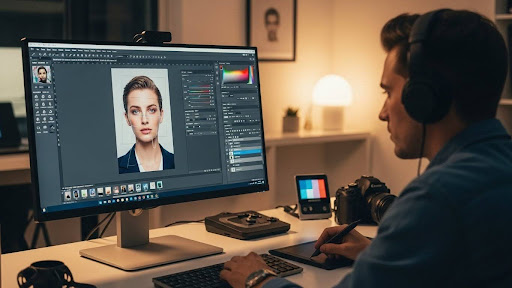
Photography retouching has become an essential skill for modern photographers looking to deliver flawless images to their clients. Whether you’re shooting weddings, portraits, or commercial projects, understanding professional retouching techniques can transform good photos into stunning visual masterpieces. This guide explores seven essential photography retouching methods that every photographer should master, along with practical tips on when to consider professional photography retouching services to streamline your workflow and maintain consistent quality.
Key Takeaways
- Photography retouching enhances image quality through color correction, skin smoothing, and background cleanup
- Professional retouching services save photographers 5-10 hours per week on post-production work
- Combining DIY retouching skills with outsourced services maximizes both quality and efficiency
- Understanding core techniques helps photographers communicate better with editing teams
What Is Photography Retouching and Why Does It Matter?
Photography retouching is the process of enhancing and refining digital images to achieve professional-quality results. Unlike basic photo editing, retouching focuses on detailed adjustments that perfect every element of an image, from skin textures to background elements.
Professional retouching matters because it directly impacts client satisfaction and your brand reputation. Studies show that 87% of consumers consider image quality a deciding factor when choosing a photographer. Retouching removes distractions, corrects imperfections, and ensures your images meet the high standards clients expect. For photographers handling large volumes of work, professional retouching services can maintain quality while freeing up valuable time for shooting and client relationships. Whether you’re editing wedding photos or product images, mastering retouching techniques separates amateur work from professional portfolios.
Skin Retouching: Creating Natural-Looking Results
Skin retouching involves smoothing skin texture, removing blemishes, and evening out skin tones while preserving natural details. The goal is enhancement, not artificial perfection.
Professional skin retouching requires a delicate balance between removing imperfections and maintaining authentic texture. Start with frequency separation, a technique that separates skin texture from color, allowing independent adjustments. Remove temporary blemishes like acne or redness, but preserve natural features like freckles or beauty marks unless clients request otherwise. Use dodge and burn techniques to enhance facial contours subtly. For portrait and wedding photographers handling hundreds of images, outsourcing to wedding and event color correction services ensures consistent results across entire galleries. The key is maintaining skin pores and natural texture while achieving that polished, magazine-quality finish clients love.
Color Correction and Grading Techniques
Color correction ensures accurate, balanced colors across your images, while color grading adds creative mood and atmosphere. Both are fundamental to professional photography retouching.
Proper color correction starts with adjusting white balance to ensure accurate color representation. Fine-tune exposure, highlights, and shadows to reveal detail in all areas of your image. Once colors are balanced, apply creative color grading to establish mood—warm tones for romantic wedding shots, cool tones for corporate portraits, or vibrant colors for commercial work. Use selective color adjustments to draw attention to your subject. For photographers shooting real estate or product photography, maintaining color consistency across multiple images is crucial. Many photographers find that combining personal shooting expertise with professional photo editing services delivers the best results, especially when managing tight deadlines or bulk orders.
Examples of Color Correction Applications:
- Wedding photography: Consistent skin tones across 500+ images
- Real estate: Accurate representation of property colors and lighting
- Product photography: True-to-life colors that match physical products
- Portrait sessions: Flattering skin tones and complementary background hues
Background Cleanup and Enhancement
Background retouching removes distractions and enhances composition by cleaning up unwanted elements that draw attention away from your subject. Clean backgrounds create professional, polished images.
Start by removing obvious distractions like power lines, trash bins, or photobombers using cloning and healing tools. For portrait work, soften busy backgrounds to increase subject separation and create depth. In real estate photography, straighten vertical lines, enhance sky details, and remove temporary objects like trash cans or personal items. Product photographers often need pure white backgrounds, requiring precise masking and background replacement. Advanced techniques include sky replacement, perspective correction, and creating depth through selective blurring. Professional retouching services excel at these time-intensive tasks, typically completing background cleanup 3-4 times faster than photographers working alone while maintaining pixel-perfect precision.
Detail Enhancement and Sharpening Methods
Detail enhancement and sharpening make images crisp and professional by emphasizing important textures while controlling overall image clarity. Proper sharpening is the final polish on any retouched photograph.
Apply sharpening selectively rather than globally to avoid creating harsh, unnatural results. Focus sharpening on eyes, jewelry, and key details while keeping skin softer. Use different sharpening amounts for web versus print images—print files need more sharpening due to the diffusion of ink on paper. The unsharp mask, high-pass filter, and smart sharpen tools each serve different purposes. For fashion and product photography, extreme detail enhancement showcases textures like fabric weaves or product materials. However, over-sharpening creates halos and noise, so always zoom to 100% to check results. When handling large volumes of images, maintaining consistent sharpening levels across a set requires significant time and attention to detail.
Sharpening Best Practices by Genre:
- Portraits: Eyes and hair (moderate sharpening)
- Product photography: Overall product details (strong sharpening)
- Real estate: Architectural elements (moderate to strong)
- Fashion: Fabric texture and accessories (strong selective sharpening)
Dodge and Burn: Adding Depth and Dimension
Dodge and burn is a classic retouching technique that lightens (dodge) and darkens (burn) specific areas to create depth, dimension, and guide viewer attention. This technique elevates flat images into three-dimensional masterpieces.
Professional retouchers use dodge and burn to enhance facial contours, create drama in portraits, and add dimension to flat lighting. Work on a separate layer using a soft brush at low opacity (5-10%) for subtle, natural results. Dodge highlights and natural light areas to enhance brightness, while burning shadows adds depth and definition. This technique works beautifully for contouring faces, emphasizing muscles in fitness photography, or adding drama to landscape elements. For photographers looking to develop these advanced skills, studying professionally edited examples helps build understanding. When time is limited, partnering with experienced teams who specialize in photography retouching services ensures your images receive expert-level attention to these subtle but impactful details.
When to Outsource: Maximizing Efficiency with Professional Services
Outsourcing photography retouching allows photographers to focus on shooting and client relationships while maintaining consistent, high-quality image delivery. Smart outsourcing strategy separates successful studios from overwhelmed photographers.
Consider outsourcing when you’re spending more than 40% of your time on post-production instead of shooting or marketing. Professional editing services typically cost $0.50-$5 per image depending on complexity, far less than the value of photographer time spent on repetitive edits. The best approach combines DIY work on hero images requiring personal artistic vision with outsourced editing for bulk work requiring consistency. Look for services offering custom style matching, quick turnaround (24-48 hours), and unlimited revisions. Pinnacle Edits specializes in matching your unique editing style while handling volume efficiently. Calculate your hourly rate, then compare it against outsourcing costs—most photographers find they save money while improving work-life balance. Start with a free trial to test quality and communication before committing to larger projects.
Conclusion
Photography retouching transforms good images into exceptional ones through careful attention to skin texture, color accuracy, background cleanup, detail enhancement, and dimensional lighting. Mastering these seven essential techniques elevates your photography business by delivering the polished, professional results clients expect. Whether you choose to develop these skills in-house or partner with professional photography retouching services, understanding the fundamentals helps you communicate your vision effectively and maintain quality control. The most successful photographers combine personal artistic vision with efficient workflows, often leveraging professional editing support to focus on what they do best—capturing amazing moments. Ready to streamline your editing workflow? Contact Pinnacle Edits today to discover how professional retouching services can save you time while enhancing your image quality.
Photography retouching is the process of digitally enhancing images to improve quality, remove imperfections, and achieve professional results. It includes skin smoothing, color correction, background cleanup, and detail enhancement to create polished, client-ready photographs.
Photography retouching typically costs between $0.50 to $5.00 per image, depending on complexity and turnaround time. Basic edits like color correction are cheaper, while advanced retouching with extensive detail work costs more. Professional editing services offer volume discounts.
Photo editing involves basic adjustments like cropping, exposure, and color correction, while photography retouching services focus on detailed enhancements such as skin smoothing, blemish removal, and fine-tuning specific elements. Retouching is more time-intensive and requires advanced skills.
Professional photo retouching takes 15-45 minutes per image depending on complexity. Simple skin retouching requires less time, while detailed work on portraits or product images takes longer. Outsourcing to editing teams speeds up delivery for bulk projects.
Yes, photography retouching is essential for wedding photos to ensure consistent quality, flattering skin tones, and distraction-free backgrounds across hundreds of images. Professional retouching enhances the emotional impact and creates timeless memories clients treasure. Most photographers include retouching in packages.
Absolutely! You can learn photography retouching through online tutorials, courses, and practice. However, mastering advanced techniques takes months of dedicated effort. Many photographers combine personal skills with professional retouching support for efficiency and consistency on client projects
Adobe Photoshop is the industry standard for photography retouching, offering advanced tools like frequency separation and dodge-burn techniques. Lightroom handles batch processing and color correction well. Many professionals use both together for optimal workflow efficiency and quality results.
Photographers should outsource retouching when post-production consumes over 40% of their time. Outsourcing maintains quality while freeing time for shooting and client relationships. It’s cost-effective for bulk work, allowing photographers to focus on revenue-generating activities like booking more sessions.
Maintain consistent photography retouching by creating custom presets, documenting your editing process, and using reference images. Professional services offer style matching to replicate your unique aesthetic across all images. Regular quality checks and feedback loops ensure consistency throughout projects.
Common mistakes include over-smoothing skin (removing natural texture), over-sharpening (creating halos), incorrect color balance, and excessive dodge-burn. Many photographers also over-edit backgrounds or ignore consistency across image sets. Professional album design services help avoid these pitfalls through expert oversight.